Moving License to a new Mac - Won't work

MichaelA27

Bit poster
Hello,
Can I please ask for support registering my new Mac? I simply want to move the key serial to my new Mac, as the old one is not available anymore.

Thank you, kindly
Michael
 
Hello,
Can I please ask for support registering my new Mac? I simply want to move the key serial to my new Mac, as the old one is not available anymore.

Thank you, kindly
Michael

Hi, we've reset your Parallels Desktop 10 key, please check and let us know if it's not that case.
 
Once again, @MichaelA27 , we got your reply:

Thank you very much. That simply activated my install.

Again, thank you so much for your super support. Now I am going to look at upgrading to the latest drivers.


And thank you for your warm words
 
I have the same problem. I tried to activate my licence on my new mac. First i signed out on my old mac.
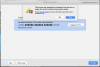
After pressing the activating button on the new one paralles give me this note this licence is in use buy a new one.
Thank you kindly,
Noa
Hi, we've reset your Parallels Desktop 11 license key, please check the issue and let us know if it's not that case.
 
same problem for me. Surely you can sort this out parallels? this should be quick and simple and we shouldn't need to go to forums and wait for you to reset our licenses! I desperately and very quickly need to move my license to my new Mac. I've signed out of the old one but only get the option to buy a new one on the new Mac. Sort it please!
 
same problem for me. Surely you can sort this out parallels? this should be quick and simple and we shouldn't need to go to forums and wait for you to reset our licenses! I desperately and very quickly need to move my license to my new Mac. I've signed out of the old one but only get the option to buy a new one on the new Mac. Sort it please!
Hello, we've made some changes with your Parallels Desktop 15 license key, please check the issue.
 
Hello, we've made some changes with your Parallels Desktop 15 license key, please check the issue.
Yes you have and I have now moved my license to my new MacBook Pro. However, this is not a fix for the problem. Do you really expect everyone to have to contact you manually to move their license? Your help documentation says it's possible to move the license but is incorrect. Nobody wants to have to do this. Sort it!
 
Yes you have and I have now moved my license to my new MacBook Pro. However, this is not a fix for the problem. Do you really expect everyone to have to contact you manually to move their license? Your help documentation says it's possible to move the license but is incorrect. Nobody wants to have to do this. Sort it!
We have this KB article for the transferring question.
But in order to move old version customers need to ask us for some help.
We are working on it.
 
Helllo,
would you please help me to install parallels business edition
I tride all
check it
Thanks
 

Attachments

  • Capture d’écran 2021-01-16 à 16.25.53.png
    Capture d’écran 2021-01-16 à 16.25.53.png
    259 KB · Views: 4
  • Capture d’écran 2021-01-16 à 16.26.09.png
    Capture d’écran 2021-01-16 à 16.26.09.png
    355.5 KB · Views: 4
  • Capture d’écran 2021-01-16 à 16.27.43.png
    Capture d’écran 2021-01-16 à 16.27.43.png
    67.8 KB · Views: 5
You can also try this,
Use Migration Assistant to copy all of your documents, apps, user accounts, and settings to a new Mac from another computer. Migration Assistant copies all of your files from your old Mac to your new Mac so that you don't have to copy them manually.
1. If your files are currently on a PC, follow the PC migration steps instead.
2. If you're moving content from a Time Machine backup, follow the steps to restore your Mac from a backup instead.
 
Hello,
Thanks for the answer,
I have sold my iMac where I had parallels back in 2015, since then I haven't use my parallels.
Off course I have deleted all on that Imac before I sell it.
As you can see on my parallels account there is 0 active subscription an 1 Legacy license.
when I put parallels activation key pop-up window tell me is not possible to use this key because is business license, which I have.
 
I have had to change to a new Mac mini as my old mini failed. I cannot activate my parallels 10 as I have reached the maximum number of activations. Is there a way for me to use my old Parallels 10 and 11 upgrade on my new Mac?
 
Hello,
Thanks for the answer,
I have sold my iMac where I had parallels back in 2015, since then I haven't use my parallels.
Off course I have deleted all on that Imac before I sell it.
As you can see on my parallels account there is 0 active subscription an 1 Legacy license.
when I put parallels activation key pop-up window tell me is not possible to use this key because is business license, which I have.
If you have a legacy license and when you try to use it getting an error "the key is business key" then you are trying to use a legacy key to activate the latest version of Parallels Desktop which will not work. You will have to buy an upgrade to use the latest version.
 
I have had to change to a new Mac mini as my old mini failed. I cannot activate my parallels 10 as I have reached the maximum number of activations. Is there a way for me to use my old Parallels 10 and 11 upgrade on my new Mac?
We have reset the activation key. Please follow the instructions below:
1. Quit Parallels Desktop, then try to activate after launching it again.
2. If you are still unable to activate, Open Terminal on the Mac and execute this command: prlsrvctl activate-license-online

Note: Parallels Desktop 10 is not compatible with Sierra or newer macOS X versions.
 
Many thanks for this. Is it still possible to update my version 10 to 11 and to to reset my version 11 activation key?
 
Hi,
I have got the same issue. When I try to activate my license for PD13, I get the "The license has reached its activation limit..."
But I do not have any Installation active. read this article doesn't help me.
What else can I do?
 

Attachments

  • Screenshot 2021-01-25 at 18.33.01.png
    Screenshot 2021-01-25 at 18.33.01.png
    107.8 KB · Views: 3
Back
Top