

Bertrand
Member
Hi,
I am running Parallels Desktop 16 (PD16) on a MacBook Pro 15", 2018 model. Screen resolution is 2880 x 1800 px.
I just (re)installed Boot camp partition and Windows 10 Pro on it, then I created a VM using PD16.
When I run Win10 directly on Boot Camp, I get the following setting for the display:
recommended display resolution: 2880 x 1800 px
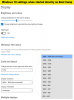
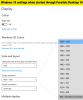
When I run Windows 10 Pro via PD16, I cannot get the full resolution of the MacBook screen. I get the following settings:
recommended display resolution: 800 x 600 px
maximum available display resolution: 1920 x 1200 px
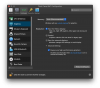
The VM configuration is set to "Best for Retina Display"
What can I do to fix this?
Many thanks in advance for any help.
Bertrand
I am running Parallels Desktop 16 (PD16) on a MacBook Pro 15", 2018 model. Screen resolution is 2880 x 1800 px.
I just (re)installed Boot camp partition and Windows 10 Pro on it, then I created a VM using PD16.
When I run Win10 directly on Boot Camp, I get the following setting for the display:
recommended display resolution: 2880 x 1800 px
When I run Windows 10 Pro via PD16, I cannot get the full resolution of the MacBook screen. I get the following settings:
recommended display resolution: 800 x 600 px
maximum available display resolution: 1920 x 1200 px
The VM configuration is set to "Best for Retina Display"
What can I do to fix this?
Many thanks in advance for any help.
Bertrand