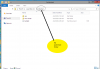
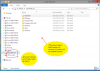
I have a serious problem when I published a folder from my server to the client:
1. Quality of publishing is very high; but
2. If a client want to get back on the File Explorer Window, he\she can see, edit any file on the server's driver !!
3. I am using Parallels RAS .. My issue is explained above.
4. PUBLISHING shared folders on Server to clients, with protect server's other folders and files.
5. Clients must not be able to access anything else but published folders!!
6. Is that possible.. how?
you are kidding me!
no answer yet!
I know it >> it's the most serious issue for consumers. No privacy and security for Server's Folders and Drivers, anyone can open anything on Server and get full control !
WE DON'T HAVE THIS ISSUE with LEADING partners such as TSPLUS or GO-GLOBAL !!
@MohammedA15 Folder publishing does not currently limit (UI) access to the server-side file system.
However, you should prefer using GPOs to secure the server rather than artificial limitations in the UI which can be easily thwarted by users.
@MohammedA15 Drive access lock down via File explorer can be done using the following policy:
"User Configuration\Administrative Templates\Windows Components\Windows Explorer" or "File Explorer"
You would obviously need to open the gpo for the users you want to limit before setting this policy.
ref: https://docs.microsoft.com/en-us/pr...er/cc978514(v=technet.10)?redirectedfrom=MSDN
You can also hide the drives that you restrict access to (policy referenced in above link).
Obviously, these restrictions apply only to "explorer" related access (including dialogs such as the standard open file dialog). They do not exonerate you from not using proper file system permissions to file and folders that user must not have read/write access to.