Hello,
I am very happy with the paralells software, but I have one question. I so badly want to play Minecraft for Windows 10, on my Windows guest OS. I have tried other games with steam, and they work. And the regular JAVA version of Minecraft works fine, but the problem is when I try the Minecraft for Windows 10 edition, it starts with the MOJANG boot screen, but then just crashes (disappears). How can I fix this, or is this fixable? I have the newest MacBook Pro 15 inch retina 2017. 4gb vram, 2,9ghz i7 processor and 16gb ram, 500ssd disk. My OS is HighSierra, and my guest OS is windows 10 64 bit.
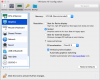
I have tried to change mode to gaming, but didnt help. I also set the resolution to scaled, and tried both with and without vertical sync/scale. Did not work.
Please help me with this.
Best regards
Orlando
I am very happy with the paralells software, but I have one question. I so badly want to play Minecraft for Windows 10, on my Windows guest OS. I have tried other games with steam, and they work. And the regular JAVA version of Minecraft works fine, but the problem is when I try the Minecraft for Windows 10 edition, it starts with the MOJANG boot screen, but then just crashes (disappears). How can I fix this, or is this fixable? I have the newest MacBook Pro 15 inch retina 2017. 4gb vram, 2,9ghz i7 processor and 16gb ram, 500ssd disk. My OS is HighSierra, and my guest OS is windows 10 64 bit.
I have tried to change mode to gaming, but didnt help. I also set the resolution to scaled, and tried both with and without vertical sync/scale. Did not work.
Please help me with this.
Best regards
Orlando