Hi I have IOS10.14.2 I followed your instructions Parallels Access but still won't workHey guys. Please, double check that it's called exactly "Parallels Access Agent" (not just Parallels Access) and that it's enabled (there's a tick to the left).
If it's really so, click on it, and then on the minus button [-] to remove. Once done, add Parallels Access back:
- Restart Mac first
- Open Applications in Finder
- Right-click on "Parallels Access.app" item
- Select "Show Package Contents"
- Navigate to Contents > MacOS
- Drag'n'drop "Parallels Access Agent.app" to the apps list in the System Preferences > Security & Privacy > Privacy > Accessibility page.
- Make sure that "Parallels Access Agent" item appeared in the list with a mark in the checkbox.
If still no luck, please do the following
- Enable detailed logging in Parallels Access on host (Parallels Access > Settings > Use detailed log messages)
- Quit Parallels Access (right-click on Parallels Access icon in system menu bar > Quit Parallels Access)
- Launch Parallels Access.app from /Applications
- Generate Technical Data Report and post here the report ID
You are using an out of date browser. It may not display this or other websites correctly.
You should upgrade or use an alternative browser.
You should upgrade or use an alternative browser.

Maria@Parallels
Problem solver
Hi, which version of Parallels Access you're using? and maybe you got some error message during Parallels Access launch?Hi I have IOS10.14.2 I followed your instructions Parallels Access but still won't work
Hello Michael,
I see that I can add "Parallels Access" but I don't have anything called "Parallels Access Agent" on my Macbook Pro (late 2016) running Mojave.
How/ where do I find "Parallels Access Agent" ?
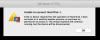
I have Parallels 13 installed, and I get the same error (I've attached a Screen grab):
Thanks in advance,
Rajnesh
I see that I can add "Parallels Access" but I don't have anything called "Parallels Access Agent" on my Macbook Pro (late 2016) running Mojave.
How/ where do I find "Parallels Access Agent" ?
I have Parallels 13 installed, and I get the same error (I've attached a Screen grab):
Unable to connect Hard Disk 1.
A file or device required for the operation of Hard Disk 1 does not exist or is used by another process, or you have no permission to access it... etc.
A file or device required for the operation of Hard Disk 1 does not exist or is used by another process, or you have no permission to access it... etc.
Thanks in advance,
Rajnesh
Hey guys. Please, double check that it's called exactly "Parallels Access Agent" (not just Parallels Access) and that it's enabled (there's a tick to the left).
If it's really so, click on it, and then on the minus button [-] to remove. Once done, add Parallels Access back:
- Restart Mac first
- Open Applications in Finder
- Right-click on "Parallels Access.app" item
- Select "Show Package Contents"
- Navigate to Contents > MacOS
- Drag'n'drop "Parallels Access Agent.app" to the apps list in the System Preferences > Security & Privacy > Privacy > Accessibility page.
- Make sure that "Parallels Access Agent" item appeared in the list with a mark in the checkbox.
If still no luck, please do the following
- Enable detailed logging in Parallels Access on host (Parallels Access > Settings > Use detailed log messages)
- Quit Parallels Access (right-click on Parallels Access icon in system menu bar > Quit Parallels Access)
- Launch Parallels Access.app from /Applications
- Generate Technical Data Report and post here the report ID
Attachments
I've seen the issue with no connection a few times now. Most recently, just now.
To fix I simply:
1 - Open Parallels Access settings panel
2 - Top left, you'll see your current user ID for Parallels Access. click on it for the pop-up menu
3 - Select "Sign Out"
4 - Now confirm your Parallels account ID and enter your password again and "Sign In"
5 - You should now once again be accessible.
To fix I simply:
1 - Open Parallels Access settings panel
2 - Top left, you'll see your current user ID for Parallels Access. click on it for the pop-up menu
3 - Select "Sign Out"
4 - Now confirm your Parallels account ID and enter your password again and "Sign In"
5 - You should now once again be accessible.
I had given up on Parallels Access and Mojave, so I bought Luna Display. Oddly, once Luna Display installed the system extension to allow Retina resolution to go to the iPad, Parallels Access started working. While I would hope this would lead Parallels Access developers to find the solution, I suspect this is asking too much from them.After restarting, this is now working on my laptop. i put the desktop back to High Sierra as I needed on machine to work. Ill try that when I get a chance to upgrade again to Mojave.
joe
Thanks for sharing! I had this issue everybody in the thread was having, but I followed the instructions and it all played off.Hi everybody!The instructions from this article should help: https://kb.parallels.com/124546
Feel free to post here if they don't. Cheers, Danil
Thanks for the solution, it worked for me!Hey guys. Please, double check that it's called exactly "Parallels Access Agent" (not just Parallels Access) and that it's enabled (there's a tick to the left).
If it's really so, click on it, and then on the minus button [-] to remove. Once done, add Parallels Access back:
- Restart Mac first
- Open Applications in Finder
- Right-click on "Parallels Access.app" item
- Select "Show Package Contents"
- Navigate to Contents > MacOS
- Drag'n'drop "Parallels Access Agent.app" to the apps list in the System Preferences > Security & Privacy > Privacy > Accessibility page.
- Make sure that "Parallels Access Agent" item appeared in the list with a mark in the checkbox.
If still no luck, please do the following
- Enable detailed logging in Parallels Access on host (Parallels Access > Settings > Use detailed log messages)
- Quit Parallels Access (right-click on Parallels Access icon in system menu bar > Quit Parallels Access)
- Launch Parallels Access.app from /Applications
- Generate Technical Data Report and post here the report ID
I tried completely uninstalling the parallels agent on both machines and re-installing. Made no difference.Exact same issue here. Tried using the Parallels Access removal tool and reinstalled access, but nothing works.
I verified that Parallels access is listed under accessibility in secirty & privacy in settings.
Seems like a bug to me.....
I tried completely uninstalling the parallels agent on both machines and re-installing. Made no difference.I tried completel auto clicker word unscrambler jumble solver y uninstalling the parallels agent on both machines and re-installing. Made no difference.
Thanks this solved my problemHey guys. Please, double check that it's called exactly "Parallels Access Agent" (not just Parallels Access) and that it's enabled (there's a tick to the left).
If it's really so, click on it, and then on the minus button [-] to remove. Once done, add Parallels Access back:
- Restart Mac first
- Open Applications in Finder
- Right-click on "Parallels Access.app" item
- Select "Show Package Contents"
- Navigate to Contents > MacOS
- Drag'n'drop "Parallels Access Agent.app" to the apps list in the System Preferences > Security & Privacy > Privacy > Accessibility page.
- Make sure that "Parallels Access Agent" item appeared in the list with a mark in the checkbox.
If still no luck, please do the following
- Enable detailed logging in Parallels Access on host (Parallels Access > Settings > Use detailed log messages)
- Quit Parallels Access (right-click on Parallels Access icon in system menu bar > Quit Parallels Access)
- Launch Parallels Access.app from /Applications
- Generate Technical Data Report and post here the report ID
