MichaelA19
Bit poster
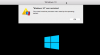
Hi MichaelA19. You can follow the steps from this article and check if it helps.Hello - every time I try to shut down Windows 10, the VM restarts and this message is served. This DID NOT happen prior to the April update.
thoughts?
View attachment 13917
Hi Johnl21. Thanks for sharing the steps here.Try this solution:
For more refer this page : https://kb.parallels.com/en/123831
- Start Parallels Desktop.
- Launch the Windows virtual machine.
- Create snapshot: from the top menu bar select Actions > Create snapshot.
- Press command button to bring Start menu and then type cmd.
- You will see Command Prompt in suggestions, right-click on it and select Run as Administrator.
NOTE: Be sure that you run Command Prompt as Administrator or you will encounter the following error message:- In the Command Prompt type powercfg -h off and hit Enter/Return.
- Check the behavior.
Worked for me. Thanks John121.Hi Johnl21. Thanks for sharing the steps here.

Try this solution:
For more refer this page : https://kb.parallels.com/en/123831
- Start Parallels Desktop.
- Launch the Windows virtual machine.
- Create snapshot: from the top menu bar select Actions > Create snapshot.
- Press command button to bring Start menu and then type cmd.
- You will see Command Prompt in suggestions, right-click on it and select Run as Administrator.
NOTE: Be sure that you run Command Prompt as Administrator or you will encounter the following error message:- In the Command Prompt type powercfg -h off and hit Enter/Return.
- Check the behavior.
Hello - every time I try to shut down Windows 10, the VM restarts and this message is served. This DID NOT happen prior to the April update.
thoughts?
Hi, You are right. It only happens with Windows 10 (1803), whether you use Parallels 13 or 14. Both Parallels versions are affected.
But so far, the workaround works (hopefully).

The solution in post #2 worked for me.Hello, I had the same issue but did solve it by expanding the disk space of the VM as I wanted to install new software. The issue appeared when I had only about 2GB free space on the VM left.
Regards
Hello JensK1. Thanks for sharing this info.Hello, I had the same issue but did solve it by expanding the disk space of the VM as I wanted to install new software. The issue appeared when I had only about 2GB free space on the VM left.
Regards
Glad to note. Thanks for sharing.The solution in post #2 worked for me.
Try this solution:
For more refer this page : https://kb.parallels.com/en/123831
- Start Parallels Desktop.
- Launch the Windows virtual machine.
- Create snapshot: from the top menu bar select Actions > Create snapshot.
- Press command button to bring Start menu and then type cmd.
- You will see Command Prompt in suggestions, right-click on it and select Run as Administrator.
NOTE: Be sure that you run Command Prompt as Administrator or you will encounter the following error message:- In the Command Prompt type powercfg -h off and hit Enter/Return.
- Check the behavior.
Thank you! Solved my problem as well for Windows 10Try this solution:
For more refer this page : https://kb.parallels.com/en/123831
- Start Parallels Desktop.
- Launch the Windows virtual machine.
- Create snapshot: from the top menu bar select Actions > Create snapshot.
- Press command button to bring Start menu and then type cmd.
- You will see Command Prompt in suggestions, right-click on it and select Run as Administrator.
NOTE: Be sure that you run Command Prompt as Administrator or you will encounter the following error message:- In the Command Prompt type powercfg -h off and hit Enter/Return.
- Check the behavior.
Dear folks. Sorry for the late response. We have published a fix for this issue: http://kb.parallels.com/124449 | "The virtual machine processor was reset by the operating system" notification appears upon attempt to shut down Windows 10 virtual machine.