VincentWong
Junior Member
...despite my having tried several times. Is there a workaround?
Toolbox v2.5.0
MacOS 10.13.3 (17D102)
Toolbox v2.5.0
MacOS 10.13.3 (17D102)

Follow along with the video below to see how to install our site as a web app on your home screen.
Note: This feature may not be available in some browsers.
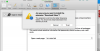
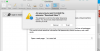
I clicked Trust yet nothing happened.Hello,
Do you see this Safari dialog with extension installation confirmation?
View attachment 13681
If yes, what is happening next? Any error message from Safari?

I clicked Trust yet nothing happened.
BTW, this has not the first time I faced difficulty with installing an extension. Happened also with the 1Password extension but the developers provided a workaround.
Not from remote session.
I followed the instructions from here:
https://discussions.agilebits.com/discussion/78115/safari-cant-install-this-extension
I repeated the steps, even to the extent of deleting all my extensions and trying to install your Download Video extension. No difference. Yet, I was able to reinstall all my other extensions. I think the problem lies in the fact that the app does not put an extension in ~/Library/Safari/Extensions.
If you could provide a .safariextz file, perhaps this would solve the problem.
DOES NOT WORKI think I have a solution.
All extensions for Safari will be deleted from your computer after this. And you have to install all your extensions again.
Can you make following steps:
- Quit Safari
- Open Terminal application
- Put one command into terminal and press Enter:
rm -r ~/Library/Caches/com.apple.Safari/Extensions
- Put another command into terminal and press Enter:
rm -r ~/Library/Safari/Extensions
- Launch Safari
Please reports me about results.