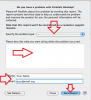
I recently upgraded from a 2011 i5 iMac to a 2011 i7 iMac with Fusion drive and bigger HD, copying my data using Time Machine. The (Snow Leopard Server) virtual machine runs fine on the new Mac, running apps, connecting to the internet, etc. However, I cannot get it to connect to the new Mac in order to share files.
In the VM, the i7 is recognised in Finder under SHARED as "Apple Core i7 Fusion Mac", but says 'Not connected'. When I try to connect, it throws up a window with my name followed by "SLS" and asks for a password. I have no idea what this is. My user account password on the host? Doesn't work. System Preferences / Sharing in the VM says my VM can be accessed as "slsmac.local" (which I vaguely remember calling it) but there's nowhere on the host's Sharing where I can enter this.
Meantime, the VM throws up a frequent error message telling me that "Core i5 iMac" (my old computer) is not available and can't be connected. What do I have to do to have the VM connect to the host, which it obviously recognises but can't connect to?
(OS notes - I'm running Mavericks 10.9.5 on the i7, and Parallels Desktop 10.4)
In the VM, the i7 is recognised in Finder under SHARED as "Apple Core i7 Fusion Mac", but says 'Not connected'. When I try to connect, it throws up a window with my name followed by "SLS" and asks for a password. I have no idea what this is. My user account password on the host? Doesn't work. System Preferences / Sharing in the VM says my VM can be accessed as "slsmac.local" (which I vaguely remember calling it) but there's nowhere on the host's Sharing where I can enter this.
Meantime, the VM throws up a frequent error message telling me that "Core i5 iMac" (my old computer) is not available and can't be connected. What do I have to do to have the VM connect to the host, which it obviously recognises but can't connect to?
(OS notes - I'm running Mavericks 10.9.5 on the i7, and Parallels Desktop 10.4)
 This is the whole problem I was complaining of.