VERY VERY slow start

rof10395

Bit poster
Dear Team,

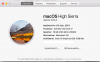
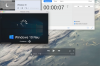
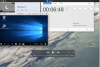
since my upgrade on High Sierra and Desktop 13 (see attached config of my Computer and Parallels) the start of a virtual machine takes ages (in Detail >6 mins). I took a screenshot with a clock running (see attached photos) to prove my experience. This is, politely speaking, a very inconvenient situation. I found numerous threads, e.g. dealing with enabling USB support (which I did), but no final solution for the problem. Of course I did a restart of the VM and of the Mac...

I really appreciate an early response

A not too happy customer

Felix
 

Attachments

  • Bildschirmfoto 2018-01-31 um 09.56.28.png
    Bildschirmfoto 2018-01-31 um 09.56.28.png
    475.6 KB · Views: 28
  • Bildschirmfoto 2018-01-31 um 10.00.27.png
    Bildschirmfoto 2018-01-31 um 10.00.27.png
    318.8 KB · Views: 22
  • start.png
    start.png
    358.2 KB · Views: 25
  • end.png
    end.png
    463.7 KB · Views: 24
I'm having the same problem, startup takes forever (at least 6min) but a restart is just close to seconds.
I have not been able to find any cure, have tried all the usual slow startup suggestions and also Microsofts "startup healer".

Would be very good to find a solution for this.
 
I actually got it to work slightly better, i still think it is slow, but two minutes instead of Six+ minutes is quite a bit better.

What i did was resetting the boot order to default, i had disabled all except HDD don't know if this really was what made it better, but it was the one thing i did.

Edit: To me it seems that it is the Parallells POST that is causing the slow start.
 
I have the same problem. Win 7 and Win 10 start in 8-10 minutes (with Parallels Desktop 12 they took about 30 seconds!). The upgrade to v.13 gave me the support to High Sierra, but I lost a lot of speed (luckily only in the startup, after that the VMs run fast). The very strange thing is that Parallels seems to take a lot of time (95% of the 8-10 above mentioned minutes) only to "boot bios" in the VM, after that the OS is loaded very fast.

I'm using Parallels Desktop 13.2.0 (43213) Home Edition, in a MacBook Pro 15" (with Touch Bar) late 2016
 
My findings regarding the boot order was most probably not correct, But i found that it seems that the more RAM you allocate to windows the slower is the startup (this was also reset to default when fiddling arround).

When moving from PD12 to PD13 i choose to only go for the limited version which has forced me to not be able to use more than half of the resources, with PD12 i used more than half of the resources, despite this it was "lightning fast".

Can someone else try to reduce allocated RAM to 512Mb and check if this makes the boot faster, for me it seems to have helped, but it is not an acceptable RAM level as i use my wWindows for quite demanding work.

Edit: false alarm again, just started it up again and it took forever again.
 
Last edited:
Can someone else try to reduce allocated RAM to 512Mb and check if this makes the boot faster, for me it seems to have helped, but it is not an acceptable RAM level as i use my wWindows for quite demanding work.

Edit: false alarm again, just started it up again and it took forever again.

I tried your suggestion, but the result remains the same: WIN 7 and WIN 10 took a lot of time to boot up.

Sincerely I hope some Parallels Technician provide to us the right solution; I tried the various KB but no one fixed the problem
 
I have the same problem. After I shut down Windows 10 and then start it again, it needs about 4-6 min to start. It just spinnig the wheel for 4-6 min.
 

Attachments

  • Screen Shot 2018-02-01 at 15.34.09.png
    Screen Shot 2018-02-01 at 15.34.09.png
    305.8 KB · Views: 11
Hi All, please shut down Windows, quit Parallels Desktop, remove the Antivirus that is installed on your Mac(if you can manage that) and reboot your Mac and then try to start the Windows virtual machine and see if that helps. Thanks!
 
Dear Support, your suggestion is the right one: Win 7 and Win 10 booted up in 10 seconds each...this is the performance I expected from PD!!!:):):)
Just one more question: I was using Avira Antivirus for Mac OS, if I will re-install it, do the VMs slow down again?

many thanks and regards
 
I just bought parallels desktop and start the windows 10 updates and that never ends, so I suspended it, and now I have a beautiful blue screen and I can't do anything..... someone help me please...
 
I just bought parallels desktop and start the windows 10 updates and that never ends, so I suspended it, and now I have a beautiful blue screen and I can't do anything..... someone help me please...
Hello FrancoisL4, Kindly start the virtual machine and go to the top menu bar, click on Actions--> Take snapshot. once the snapshot is done then again click on Actions--> Reset and then check with the Windows virtual machine.
 
I'm running
Version 14.0.1 (45154) and since I installed this onto the iMac 2017 27" running macOS Mojave (also have Intego anti-virus installed), everything is slow going. Please help!
 
Back
Top