Hello KirillM1, please quit Parallels Desktop now. Then, open Terminal (Finder > Go > Utilities > Terminal). Inside the Terminal window, enter the command 'prlsrvctl activate-license-online' (without the quotes) and hit 'Return'. Wait till the operation completes. Then, close Terminal and re-attempt the activation.Thanks!

Install the app
How to install the app on iOS
Follow along with the video below to see how to install our site as a web app on your home screen.
Note: This feature may not be available in some browsers.
You are using an out of date browser. It may not display this or other websites correctly.
You should upgrade or use an alternative browser.
You should upgrade or use an alternative browser.
How can I deactivate my Parallels Desktop 10 license
- Thread starter AleksandrV
- Start date
It worked. Thanks!
Hello DeepakG2, we have made few changes in the key settings, please reactivate with the same license key and keep us posted the results. Thanks!
Alfena@Parallels
Pro
Alfena@Parallels
Pro
Hello @KirillM1,
We have made changes to the activation key . Please quit Parallels Desktop . Then, open Terminal (Finder > Go > Utilities > Terminal.app). Inside the Terminal window, enter the command 'prlsrvctl activate-license-online' (without the quotes) and hit 'Return'. Wait till the operation completes. Then, close Terminal and re-attempt the activation.
Thanks
We have made changes to the activation key . Please quit Parallels Desktop . Then, open Terminal (Finder > Go > Utilities > Terminal.app). Inside the Terminal window, enter the command 'prlsrvctl activate-license-online' (without the quotes) and hit 'Return'. Wait till the operation completes. Then, close Terminal and re-attempt the activation.
Thanks
I am trying to move parallels to a new computer. But when I enter activation code I got this error
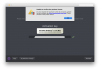
Failed to activate the license: Unable to confirm the product license. You have reached the maximum number of activations available for your activation key (http://www.parallels.com/eula). Please purchase a new product license.
Failed to activate the license: Unable to confirm the product license. You have reached the maximum number of activations available for your activation key (http://www.parallels.com/eula). Please purchase a new product license.
Alfena@Parallels
Pro
Hello @CarlosA6 ,
we have made changes to the activation key . Please quit Parallels Desktop . Then, open Terminal (Finder > Go > Utilities > Terminal.app). Inside the Terminal window, enter the command 'prlsrvctl activate-license-online' (without the quotes) and hit 'Return'. Wait till the operation completes. Then, close Terminal and re-attempt the activation.
Thanks
we have made changes to the activation key . Please quit Parallels Desktop . Then, open Terminal (Finder > Go > Utilities > Terminal.app). Inside the Terminal window, enter the command 'prlsrvctl activate-license-online' (without the quotes) and hit 'Return'. Wait till the operation completes. Then, close Terminal and re-attempt the activation.
Thanks
It worked. Thanks a lot.Hello @CarlosA6 ,
we have made changes to the activation key . Please quit Parallels Desktop . Then, open Terminal (Finder > Go > Utilities > Terminal.app). Inside the Terminal window, enter the command 'prlsrvctl activate-license-online' (without the quotes) and hit 'Return'. Wait till the operation completes. Then, close Terminal and re-attempt the activation.
Thanks
Alfena@Parallels
Pro
Arun@Parallels
Parallels Support
We have made changes to the activation key. Please follow the instructions below:Hi I am trying to move parallels to a new computer too and got the same error.
1. Quit Parallels Desktop, then try to activate after launching it again.
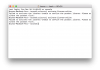
2. If you are still unable to activate, Open Terminal on the Mac and execute this command: prlsrvctl activate-license-online
T

Thank you for the prompt reply! The 2nd method works for me.We have made changes to the activation key. Please follow the instructions below:
1. Quit Parallels Desktop, then try to activate after launching it again.
2. If you are still unable to activate, Open Terminal on the Mac and execute this command: prlsrvctl activate-license-online
We are glad to hear that. Feel free to reach out to us for support.T
Thank you for the prompt reply! The 2nd method works for me.
Alfena@Parallels
Pro
Hello @JonasS1 , we have made changes to the activation key . Please quit Parallels Desktop . Then, open Terminal (Finder > Go > Utilities > Terminal.app). Inside the Terminal window, enter the command 'prlsrvctl activate-license-online' (without the quotes) and hit 'Return'. Wait till the operation completes. Then, close Terminal and re-attempt the activation. Thanks
Alfena@Parallels
Pro
Hello @JamesL6 , we have made changes to the activation key . Please quit Parallels Desktop . Then, open Terminal (Finder > Go > Utilities > Terminal.app). Inside the Terminal window, enter the command 'prlsrvctl activate-license-online' (without the quotes) and hit 'Return'. Wait till the operation completes. Then, close Terminal and re-attempt the activation. Thanks