
Install the app
How to install the app on iOS
Follow along with the video below to see how to install our site as a web app on your home screen.
Note: This feature may not be available in some browsers.
You are using an out of date browser. It may not display this or other websites correctly.
You should upgrade or use an alternative browser.
You should upgrade or use an alternative browser.
Parallels Desktop 13 upgrade issues
- Thread starter Xabier
- Start date
Arun@Parallels
Parallels Support
Well, I couldn't record any video, but you can find attached a link (your file upload limit didn't allow me to attach the file) to a screenshot of a display error I suffer everyday, since I upgrade to 13.
https://snag.gy/6VSCF7.jpg
Regards
https://snag.gy/6VSCF7.jpg
Regards
Hello @Xabier, please follow the steps given below:
1.Shut down the virtual machine.
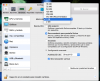
2.Open the virtual machine configuration > switch to the Hardware tab > select the Video (Graphics) option in the left pane.
3.In the right pane, increase the video memory to 768 MB. Check if this helps. Thanks, Meena.
1.Shut down the virtual machine.
2.Open the virtual machine configuration > switch to the Hardware tab > select the Video (Graphics) option in the left pane.
3.In the right pane, increase the video memory to 768 MB. Check if this helps. Thanks, Meena.

Hemnath@Parallels
Parallels Support
In the virtual machine configuration window , navigate to Hardware -> CPU & Memory and allocate 2 processors (or just 1 if the total number of available processors is just 2) and 2 GB of memory for Windows [or just 1 GB if total Mac memory is only 2 GB (or) 3 GB if total Mac memory is 8 GB (or) 4 GB if total Mac memory is > 8 GB]. Then, select 'Graphics' and allocate 1 GB of video memory for Windows. Finally, ensure that 'Vertical Synchronization' is enabled and 'DirectX 10' is selected for '3D Acceleration' under 'Advanced Settings'. Then, close the window and check for the issue.Well, 768 is not an option, it goes from 512 to 1GB (what I chose).
Arun@Parallels
Parallels Support

Hi @Xabier, are you still having the issue? We are here to help!I did, will let you now if it worked.
Hi Paul,
Apparently, it works better, although now I have this strange effect when moving between apps (see the video on this link: https://www.dropbox.com/s/7m7dqz9jl15jdmf/screen_record.mov?dl=0) , and I get a "not enough memory" Windows pop-up, every 30 to 60 minutes.
Apparently, it works better, although now I have this strange effect when moving between apps (see the video on this link: https://www.dropbox.com/s/7m7dqz9jl15jdmf/screen_record.mov?dl=0) , and I get a "not enough memory" Windows pop-up, every 30 to 60 minutes.
Apparently, it works better, although now I have this strange effect when moving between apps (see the video on this link: https://www.dropbox.com/s/7m7dqz9jl15jdmf/screen_record.mov?dl=0) , and I get a "not enough memory" Windows pop-up, every 30 to 60 minutes.
"Video artefacts when switching desktop spaces in full-Screen mode" We are aware of this issue. And our Development Team is working on. To increase the hard disk space on Windows virtual machine, please refer this article and see if this helps. Thanks!
Hi, I increased the hard disk space, but keep getting the not enough memory message.
Please follow as suggested at http://kb.parallels.com/123372 and check if this works. Thanks!
Arun@Parallels
Parallels Support