
Install the app
How to install the app on iOS
Follow along with the video below to see how to install our site as a web app on your home screen.
Note: This feature may not be available in some browsers.
You are using an out of date browser. It may not display this or other websites correctly.
You should upgrade or use an alternative browser.
You should upgrade or use an alternative browser.
Unable to connect Hard Disk 1
- Thread starter NidalQ
- Start date
Alfena@Parallels
Pro
Alfena@Parallels
Pro
Hello @NidalQ , Please follow as suggested below:
Disable System Integrity Protection (SIP).
1.Restart the Mac, on Apple logo loading screen press CMD + R to boot into Recovery.
2.In Recovery, on Mac menu bar locate Utilities menu > open Terminal application.
3.Type in the commands below one-by-one:
csrutil disable
reboot
4.Back in a normal mode remove the existing machine or create a new one.
5.Boot macOS into Recovery again and enable SIP back running the following Terminal commands:
csrutil enable
reboot.
Please see if this works. Thanks!
Disable System Integrity Protection (SIP).
1.Restart the Mac, on Apple logo loading screen press CMD + R to boot into Recovery.
2.In Recovery, on Mac menu bar locate Utilities menu > open Terminal application.
3.Type in the commands below one-by-one:
csrutil disable
reboot
4.Back in a normal mode remove the existing machine or create a new one.
5.Boot macOS into Recovery again and enable SIP back running the following Terminal commands:
csrutil enable
reboot.
Please see if this works. Thanks!
Hello Alfena@Parallels
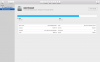
Unfortunately it doesn't work. As well I tried to load a copy of my boot Camp.pvm and I got this msg
Failed to configure the Boot Camp partition's hard disk.
A disk configuration error has occurred. Make sure that you have read/write permissions for the disk.
Error: PRL_ERR_DISK_FILE_OPEN_ERROR (0x80021014)
Path: '/Users/nidal/Desktop/My Boot Camp1.pvm/APPLE SSD SM0256G (disk0).hdd'
Unfortunately it doesn't work. As well I tried to load a copy of my boot Camp.pvm and I got this msg
Failed to configure the Boot Camp partition's hard disk.
A disk configuration error has occurred. Make sure that you have read/write permissions for the disk.
Error: PRL_ERR_DISK_FILE_OPEN_ERROR (0x80021014)
Path: '/Users/nidal/Desktop/My Boot Camp1.pvm/APPLE SSD SM0256G (disk0).hdd'
Attachments
Last edited:
Attachments
Arun@Parallels
Parallels Support