
Glad to hear that issue has been resolved. Please feel free to reach us anytime.You are really a genius, disabling SIP works.
You are using an out of date browser. It may not display this or other websites correctly.
You should upgrade or use an alternative browser.
You should upgrade or use an alternative browser.
macOS 10.13 high Sierra Support
- Thread starter HeikoG1
- Start date
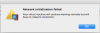
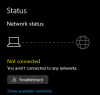
correct!To be clear, it only affected Parallels, not Mac networking, correct?

Hi @jeongjael, please check out the instructions outlined in this article to fix the issue.as KenV54, i can't find Parallels phrase on Security & Privacy page. are there anybody knows how?
"Open the macOS System Preferences > Security & Privacy > General and click "Allow" next to the phrase about "Parallels, Inc.".
ParallelsU72
Bit poster
Hi @jeongjael, please check out the instructions outlined in this article to fix the issue.
Honestly, disabling SIP is NOT A FIX! At best, it's a temporary workaround. How about a real fix? When will we see a Program Update that actually fixes the issue?
robert.guerra
Bit poster
Agree that disabling a - key - security feature to allow Parallels to work isn't a "fix". The latest Little Snitch (4.0) also was experiencing the same issue, and within 1-2 days they issues an update. Would be great it Parallels could do the same..Honestly, disabling SIP is NOT A FIX! At best, it's a temporary workaround. How about a real fix? When will we see a Program Update that actually fixes the issue?
https://www.obdev.at/products/littlesnitch/high-sierra-notes.html
https://www.obdev.at/products/littlesnitch/releasenotes-nightly.html
Seems the issue has also be reported in the Apple developer forum. Further details here - https://forums.developer.apple.com/thread/83174
Last edited:
We suggest you to disable SIP until next High Sierra Update is available. When High Sierra is officially released Parallels Desktop 12 will support it.Agree that disabling a - key - security feature to allow Parallels to work isn't a "fix". The latest Little Snitch (4.0) also was experiencing the same issue, and within 1-2 days they issues an update. Would be great it Parallels could do the same..
https://www.obdev.at/products/littlesnitch/high-sierra-notes.html
https://www.obdev.at/products/littlesnitch/releasenotes-nightly.html
Seems the issue has also be reported in the Apple developer forum. Further details here - https://forums.developer.apple.com/thread/83174
Hi @ParallelsU72, as many other software vendors, Parallels Team is working hard on the required tweaks to make sure you can run Parallels Desktop virtual machines on macOS High Sierra, as well as install macOS High Sierra in a virtual machine. As a temporary workaround, we would suggest you disable SIP until the official public release of macOS High Sierra.Honestly, disabling SIP is NOT A FIX! At best, it's a temporary workaround. How about a real fix? When will we see a Program Update that actually fixes the issue?
Hi @Schneppi, are you sure? Could you please check and create a problem report ID and share it with us?I'll go back to 12.2.0 - this one still works with High Sierra Beta 4 w/o disabling SIP
I am sure. Ive tested it with 12.2.0 and 12.0 and both are not having the issue. I already had an open case and just sent in this info.Hi @Schneppi, are you sure? Could you please check and create a problem report ID and share it with us?

This is a problem. csrdisable disables ALL protection features. Based on my work with other desktop managers, we should be able to survive the beta while only disabling some of the features. Why does Parallels recommend disabling all of the protection? Can they tell us which specific features are problematic?
http://stage.blog.binaryage.com/el-capitan-update/
Did you know we can help apple re-prioritize their work in fixing bugs? If you are having issues because of SIP, and hit a implementation issue, please tell your developers to share the Apple bugID on BugReport and an abstract of what the issue is. (post on developer.apple.com also) and let me know. That way I and every other developer can "submit duplicates" to help increase the priority of your ticket.
http://bugreport.apple.com
http://stage.blog.binaryage.com/el-capitan-update/
Did you know we can help apple re-prioritize their work in fixing bugs? If you are having issues because of SIP, and hit a implementation issue, please tell your developers to share the Apple bugID on BugReport and an abstract of what the issue is. (post on developer.apple.com also) and let me know. That way I and every other developer can "submit duplicates" to help increase the priority of your ticket.
http://bugreport.apple.com
Just in case other's were looking to downgrade, here's the link to the official 12.2.0 version: http://download.parallels.com/desktop/v12/12.2.0-41591/ParallelsDesktop-12.2.0-41591.dmg
Alright! Thanks for the confirmation @Schneppi, we will check with the case internally and update you. Stay tuned for the next buildI am sure. Ive tested it with 12.2.0 and 12.0 and both are not having the issue. I already had an open case and just sent in this info.