Is it possible to disable the automatic vm configuration?

ivahost

Member
When I convert a vmware VM to a parallels one the first time you boot it you cannot access the screen in the VM due to this idiotic automatic configuration. You can follow what happens on the small preview screen but you are unable to interact with the VM until it gives up after a loooooooooooong time.

For the love of all that is good and pure :) is there a way to disable this behaviour and just boot the VM normally?
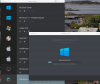
 
I am aware that you can create a new vm using the converted vm images disk, but I feel there should be a option in the preferences disabling this overlay completly for those who do not want it. It is really irritating having to sit there watching something fail and fail and fail without being able to take over and fix the problem manually until the small eye comes up after the progress bar. I understand why this feature is in there but it should be possible to disable it for advanced users.
 
I am aware that you can create a new vm using the converted vm images disk, but I feel there should be a option in the preferences disabling this overlay completly for those who do not want it. It is really irritating having to sit there watching something fail and fail and fail without being able to take over and fix the problem manually until the small eye comes up after the progress bar. I understand why this feature is in there but it should be possible to disable it for advanced users.
Hi @ivahost you may add the following boot flags at virtual machine Configuration->Hardware->Boot Order-> Advanced Settings -> Boot flags to fix the issue.
 
Back
Top