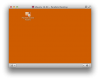
I had really weird things happening with the X session with an Ubuntu 14.04 desktop guest OS after installing Parallels Tools with the latest version of Parallels 9. I lost my tool bar and everything else besides a Desktop with the "Parallels Shared Folders" shortcut that comes with having configured the VM to share my Home Directory from the Host OS. There is something wrong with the latest Parallels tools, as my X session was ok before installing Parallels Tools and as I didn't have the problem with this guest OS with VMWare on Windows at work.
But, I fixed the problem with a little console work, and I haven't had any issues since. So, you don't have to beware of Ubuntu 14.04 too much.
Here's what you need to do:
1. Start up your wonky Ubuntu 14.04 Desktop VM.
2. Log in, and after everything settles down, make sure the Parallels Desktop Status Bar for the VM is showing; you can toggle it using the View menu on the Parallels Desktop system menu.
3. Click to keyboard icon on the VM's Status Bar (It's the left-most icon in the group of icons to the right.), and select 'Ctrl-Alt-F1' to get the Ubuntu console.
4. Log in with an administrator account, such as the one you used to initially install the wonky Parallels Tools.
5. Do the following: cd /etc/X11
6. Do the following: ls -al
7. Look for the the following file left in limbo by Parallels Tools: xorg.conf.[datestring], where [datestring] reflects the date and time you installed the wonky Parallels Tools (e.g., xorg.conf.20140525)
8. Do the following to rename the xorg.conf.[datestring] file to just xorg.conf, using your admin password: sudo mv xorg.conf.[datestring] xorg.conf
9. Do the following to force X11 to reconfig:
a. Change to you home directory: cd ~
b. Look for a directory named '.config'. (Note the leading '.' on the filename - it's a hidden file.) If it is there, do the following to remove it: rm -rf .config
c. Look for a directory named '.compiz'. (Again, note the leading '.' on the filename.) If it is there, which this one may not be, do the following to remove it: rm -rf .compiz
10. Reboot, using your admin password, by doing the following: sudo reboot
When Ubuntu 14.04 comes back up, everything should be fine. That is, until they push the next Parallel Tools update and haven't addressed this issue. Then you would just have do all of this over to fix it again (unless things are messed up in some other way by). ;-)