
Install the app
How to install the app on iOS
Follow along with the video below to see how to install our site as a web app on your home screen.
Note: This feature may not be available in some browsers.
You are using an out of date browser. It may not display this or other websites correctly.
You should upgrade or use an alternative browser.
You should upgrade or use an alternative browser.
Cant access internet on mac (default bridge)
- Thread starter ErolE
- Start date
Hi all, we can try removing the Network adapter from the virtual machine configure >> Hardware >> select and remove Network from the list and then try adding it again.
I currently have Parallels 9, running Win 7 Ultimate, on El Capitan. I used to have internet connection. But somewhere along the line with the IOS upgrades, I can no longer get online on the VM side. The Mac side is fine. I can get online both via wired and WiFi. But not on the Window side. I've have read all the thread and can not find any solution. I've tried everything that was suggested throughout the form and I'm hitting a wall. Please help...

Dear Tim6, please reinstall Parallels Tools from Action->Reinstall Parallels Tools and restart your Windows and check how it works. If the issue persists, please try the following steps to resolve the issue:
Reinstall Parallels Tools: Try reinstalling Parallels Tools on your virtual machine.
Click on Start and then Control Panel.
Go to Networking and sharing center and then click on Change adapter settings.
Right click on Local Area Connection and choose properties.
Highlight Internet Protocol Version 6 and click on Properties.
Choose Obtain DNS server address automatically and press Ok.
Choose Obtain IP address automatically.
Repeat the steps for Internet Protocol version 4 as well.
Reinstall Parallels Tools: Try reinstalling Parallels Tools on your virtual machine.
Click on Start and then Control Panel.
Go to Networking and sharing center and then click on Change adapter settings.
Right click on Local Area Connection and choose properties.
Highlight Internet Protocol Version 6 and click on Properties.
Choose Obtain DNS server address automatically and press Ok.
Choose Obtain IP address automatically.
Repeat the steps for Internet Protocol version 4 as well.
Dear Tim6, please reinstall Parallels Tools from Action->Reinstall Parallels Tools and restart your Windows and check how it works. If the issue persists, please try the following steps to resolve the issue:
Reinstall Parallels Tools: Try reinstalling Parallels Tools on your virtual machine.
Click on Start and then Control Panel.
Go to Networking and sharing center and then click on Change adapter settings.
Right click on Local Area Connection and choose properties.
Highlight Internet Protocol Version 6 and click on Properties.
Choose Obtain DNS server address automatically and press Ok.
Choose Obtain IP address automatically.
Repeat the steps for Internet Protocol version 4 as well.
Hey Paul,
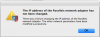
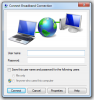
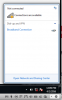
This method does not work. I can't find "Local Area Connection" I don't seem to have a wireless connection on the Window side. Although I can connect via Wifi or Ethernet on my Mac. I've also tried to restored network to "Default." But I got a message saying that Parallels network adapter has not been changed.
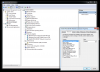
One other issue, I notice that the under "Other Devices" my USB controller has an exclamation sign. On the Mac side everything is working. All my USB is functioning properly.
Hi Paul,Dear Tim6, please reinstall Parallels Tools from Action->Reinstall Parallels Tools and restart your Windows and check how it works. If the issue persists, please try the following steps to resolve the issue:
Reinstall Parallels Tools: Try reinstalling Parallels Tools on your virtual machine.
Click on Start and then Control Panel.
Go to Networking and sharing center and then click on Change adapter settings.
Right click on Local Area Connection and choose properties.
Highlight Internet Protocol Version 6 and click on Properties.
Choose Obtain DNS server address automatically and press Ok.
Choose Obtain IP address automatically.
Repeat the steps for Internet Protocol version 4 as well.
Do you have any other suggestions? I've tried what you suggested and it didn't working.
thank you.