Default "Open With" not working, greyed out

David_Beaton

Bit poster
Hello,

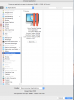
Has anyone else seen this occur where you are not able to select a parallel application to set as default on a mac? When I attempt to open this Excel file, Mac is defaulted to Preview.app and I cannot change it to Excel.exe because it is greyed out... However, this ONLY holds true for Excel, not Word or any other office programs running in Parallels.

Please help!
 

Attachments

  • Screen Shot 2015-01-31 at 10.21.20 AM.png
    Screen Shot 2015-01-31 at 10.21.20 AM.png
    457.7 KB · Views: 4
Hi David_Beaton,
In order to share Windows application on Mac, you need to have Shared Applications option enabled for Windows Virtual Machine.
Open virtual machine configuration http://kb.parallels.com/117287 > switch to Options tab > Applications. See if Share Windows applications with Mac and/or Share Mac applications with Windows are checked. If not please check the option and try to reproduce the issue.
If the option is checked but still you're unable to share applications, please (re)install Parallels Tools as suggested at http://kb.parallels.com/4841
Feel free to reach us, if you need any further assistance on this issue. We will be happy to help you.
 
Hi David_Beaton,
In order to share Windows application on Mac, you need to have Shared Applications option enabled for Windows Virtual Machine.
Open virtual machine configuration http://kb.parallels.com/117287 > switch to Options tab > Applications. See if Share Windows applications with Mac and/or Share Mac applications with Windows are checked. If not please check the option and try to reproduce the issue.
If the option is checked but still you're unable to share applications, please (re)install Parallels Tools as suggested at http://kb.parallels.com/4841
Feel free to reach us, if you need any further assistance on this issue. We will be happy to help you.

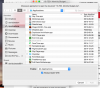
I've done all of these things, including reinstalling the parallels tools. The issue is that once you navigate to Parallels, there are no further options whereby one can select the correct Windows program to open the excel file. See the attachment for the instructions that are found everywhere in the Parallels documentation. The highlighted portion of the path does not exist when I try to navigate to it. However, if I open Windows and navigate to the shared file, I can open it in Windows.

Help!
 

Attachments

  • No Option for this Path.png
    No Option for this Path.png
    218.5 KB · Views: 0
  • No Option.png
    No Option.png
    181 KB · Views: 0
Back
Top