Parallels Mac OS EL Capitan, Windows 10 very slow Bad performance issue

The only comforting thing is to know I'm not alone with this problem. I have a bootcamp partition that I run from Parallels. Booting Windows freezes completely the computer for (both mac & windows) for about 15 minutes. After that it works almost ok. When it works... Booting into bootcamp natively works perfectly smooth.
Also, for the proposed solutions.... there's no nested virtualization for the non PRO editions. Did you maybe leave it on on non PRO edition? Btw, what is this PRO non PRO bull****?.

This is the time VMWare should offer a "move from Parallels to Fusion" offer...
 
This thread has 3000 views, which means that it is only second to the 20.000 views one about the "Windows 10 Bootcamp VM can't validate!" which is because people doesn't read the manual. I don't see any statement from Parallels whether they're going to do something to fix this issue which is VERY VERY VERY ANNOYING!
I kindly ask everybody who reads this thread to post a "ME TOO" if they're affected by the same problem. And I also kindly ask Parallels to do something ASAP beacuse I AM PAYING FOR SOMETHING THAT DOESN'T WORK.
 
The same issue. After upgrading OSX to el Capitan Parallels Desktop, both 10 and 11, show unacceptably slow performance when run from an external drive.
I use Windows 7 guest OS, the drive is an SSD SanDisk Extreme 500 240GB (model SDSSDEXT-240G).
As for others, the problem does not occur when Parallels is run from the internal drive.
Hello, Since we need to investigate deeper, please email us the issue description along with the screenshot to cs(at)parallels(.)com, so we can check it for you.
 
I solved the problem by downloading the latest Windows 1511 x64 full iso and reinstalling it on the bootcamp partition after formatting it. As a note with build 1511, the bootcamp installer hangs forever trying to install the Realtek Audio driver. The solution is, while the bootcamp installer is still there trying to install, navigate to the bootcamp folder on the install source and manually run the Realtek Audio driver setup and once complete, start the Task Manager, look for the Realtek setup process and kill it. The bootcamp installer will then continue and complete the install. Install the few Windows updates available and reboot in OSX.

The second step was to remove (and delete) the bootcamp VM from MacOSX, quit Parallels, download PDRemover, remove parallels and restart. Download and install the latest Parallels 11 version and install fresh, then create the bootcamp VM and configure.

Not sure what caused the issue, if the update of Parallels or the update of Windows 10 to 1511, but at least now it runs smooth.
 
This is the time VMWare should offer a "move from Parallels to Fusion" offer...
I was wondering about that as well and whether VMWare Fusion users have the same issues. Since version 11 I experienced bugs in each minor release, not related to performance, I am still using Windows 7 64bit and Yosemite, but related to multiple displays and Parallels not setting properly the resolution in windows when I switch from the Thunderbolt display to the standalone MBP. I contacted support but it has been useless in my case. They seem preoccupied to close the case ASAP and requesting feedback.

Maybe it is time to switch? Do you know if the VMWare can read the Parallels format ? I am using a single hdd format.
 
I have just noticed a similar issue. I am running Parrallels 11.1.0 (32202) and windows 10 64 bit.
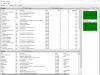
CPU is running all time at 100% and system very slow as result. have tried restarting several times with no effect. Attaching screenshot of Resource monitor.
Had a minor problem before that not recognising all keys on apple keyboard correctly. Doubt whether connected but just in case.
 

Attachments

  • Screenshot 2015-11-30 20.07.58.png
    Screenshot 2015-11-30 20.07.58.png
    140.1 KB · Views: 7
While it doesn't claim to address our issue here, I can confirm that today's update 11.1.1 (32312) does in fact not help us. Still no love from Parallels.
 
Already confirmed. The extreme slow performance on external device is not fixed yet. Why VMware Fusion does not has the issue while Parallel Desktop cannot even fix the issue ?
 
+1 i managed to break my owned parallels 10 putting in a trial of 11 but parallels doesn't have my registration code on file for 10 so I can't go back. spent hours and hours trying to resolve this problem
 
I'm also spiking at 100% CPU on doing anything inside a Windows 10 VM using Parallels 11 running on external Thunderbolt SSD.
 
Facing same issue!!! Terrible performance after upgrading to El Capitan. Any solution to this????
Hi Andrei1, Please follow the steps suggested at http://kb.parallels.com/112091 to improve virtual machine performance on your Mac.
If the issue still persisting please provide us the steps to reproduce the issue (1,2,3...). Also, once you reproduce the issue, please provide us a problem report ID here: http://kb.parallels.com/9058
 
Quick update. Reinstalling Win 7 from scratch on a VM seemed to resolve the issue. The speed is back to normal.

>>>>>> Edited: Actually, I'm taking my words back. Performance is still terribly slow now that I have installed additional software.
 
Last edited:
Back
Top