I have updated my Parallels which to support EI Capitan and running Win 7 smoothly from Mac OS. Someday a update notice prompt up to inform me to update the Parallels then I click Yes but when update completed I can not boot the Win 7 from Mac OS again I also can not boot the Win 7 by multi boot function until I recover the Win 7 to last recover point. I need help!

Install the app
How to install the app on iOS
Follow along with the video below to see how to install our site as a web app on your home screen.
Note: This feature may not be available in some browsers.
You are using an out of date browser. It may not display this or other websites correctly.
You should upgrade or use an alternative browser.
You should upgrade or use an alternative browser.
could not boot Win 7 from Mac OS El Capitan
- Thread starter Horace 1
- Start date

Hello Horace, Could you please share a screenshot of the Windows boot screen, so that we can check it for you. Thanks!
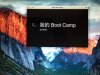
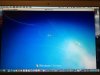
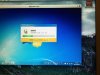
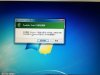
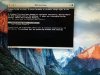
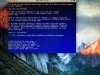
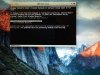
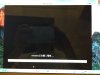
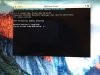
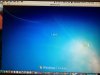
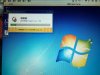
Please refer to the attached screenshot from 1-21 and the explanation as: 1 & 2. boot Widows in Mac OS EI Capitan by click the Boot Camp icon. 3. there is a error message shown that the Boot Camp want to restart. 4. the Windows booting. 5. after the Windows boot a prompt up come out and show that installing Parallels Tools. 6. When installation of Parallels Tools completed I want to restart the Windows. 7-10. When Windows being restart an error window prompt up. 11. I want to choose restart the Windows with Launch Startup Repair or Start Windows Normally. 12. If choose Start Windows Normally then the error window come out again. 13. When I choose Launch Startup Repair. 14-15. Windows boot up. 16-18. Windows will re-stall to the last recover point. 19 & 20. After recover to the last recover point the Windows will restart again. 21. When Windows restarted the installation of Parallels Tools window will come out again then the above circle will again and again.Hello Horace, Could you please share a screenshot of the Windows boot screen, so that we can check it for you. Thanks!
Horace
Attachments


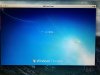
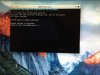
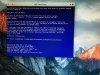
Hello Horace, Could you please share a screenshot of the Windows boot screen, so that we can check it for you. Thanks!
Attachments
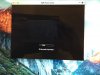
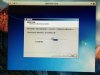
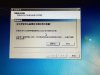
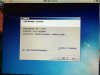
Hello Horace, Could you please share a screenshot of the Windows boot screen, so that we can check it for you. Thanks!
Attachments

The problem is how to update as I am not sure.Hi Horace, please update Parallels Desktop to latest build (11.1.1-32312) and go through recovery process again. This issue should no longer occur