Parallels 11 and OpenSuSe Leap-42.1

P

Parallels User

Parallels Tools from Parallels 11 don't install properly on Leap 42.1 .. They seem to cause Yast to run but has no input.
 
Not so far --- I got a reply that "Engineering was working on it" ...
I needed SuSE for a project - am running it on VMWare and all is ok.
 
Thanks for your feedback. .....We had the same Idea....on VMWare it is working fine.
Hope, we don't need do wait too long time for an solution on this case in Parallels
 
Hi guys, you can check in /var/log/parallels-tools.log to find what packages Parallels Tools installer is trying to install, then install them manually and run Parallels Tools installation again.
 
I assume you mean from the guest system (OpenSuse) since there is no /var/log/parallels-tools.log on the host system (OS X)
 
I am running install right now ... noticed error message
"DEPRICATED. Use sw_single directly: /sbin/yast2 sw_single"
 
No /var/log/parallels-tools.log created ... ???? There is a /var/log/parallels-tools-install.log
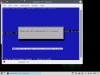
 
I am running install right now ... noticed error message
"DEPRICATED. Use sw_single directly: /sbin/yast2 sw_single"

this particular message is not an error, but a warning. Look at what component it tries to install and install it manually

No /var/log/parallels-tools.log created ... ???? There is a /var/log/parallels-tools-install.log
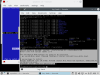
my bad. /var/log/parallels-tools-install.log is correct
 
Installed packages manually now it wants kernel-default-devel kernel-devel kernel-macros

The underlying issue seems to be that Yast expects a "y or n" reply but there is no last window open.
 
now it wants dkms this thing needs a lot of work. I am out of here.
 
as far as I remeber dksm is the latest one and it's not a mandatory and installer can skip it. so give it a try
 
I'll try it - dkms is in "unstable" SuSE status - they never really support it well.
Maybe you can remove requirement in the tools if SuSE is detected?
 
I forced Yast to ignore the dkms load - then the shutdown to reboot after install hung - had to reset the VM. It came up ok but is missing the desktop icons for the shared folders. Another issue is that shutdown of SuSE hangs and I have to reset the VM. I suggest not using the Parallels tool until its fixed. Its a mess.
 
Hi guys, you can check in /var/log/parallels-tools.log to find what packages Parallels Tools installer is trying to install, then install them manually and run Parallels Tools installation again.
I know this is old ... but I just went through this trouble installing Leap 42.1 on Parallels 11.
I needed to do two things.

1) Manually install the required items mentioned in the fail message. Note that I had to install the exact version of the kernel-default-devel requested (4-1-21), and not the latest (tricky).
zypper in 'kernel-default-devel=4.1.12-1'

2) perhaps not necessary, but execute the "install" file from the Parallels Tools mounted iso ... as root in a terminal shell, not the gui version.
su to root
cd to /run/media/<you>/Parallels Tools/ (this is where my mount was located)
execute install file :)


HTH someone.
 
Last edited:
Thanks ... I gave up and am using VMWare Fusion for the work I need on SuSE - works fine (until the support for VMWare dies as its been sold off). I have really been considering a bootcamp partition for Linux and tossing Parallels - but I've used it for a long time and am used to it.
 
Hi Guys, please be informed that Parallels Desktop 11 Update 2 Hotfix 1 - 11.2.1 (32626) was released and the issue has been addressed. Please update Parallels Desktop to the latest build. To check for updates, go to the Parallels Desktop menu and click on "Check for Updates... Latest version always available here: http://www.parallels.com/directdownload/pd11/ Please note that Parallels Tools also needs to be updated (Actions > Update Parallels Tools) and let us know how it works. Check out the updates summary at http://kb.parallels.com/123410 Thanks!
 
The hot fix seems to do the job. I filed a bug report against Parallels 12 Desktop that the install process does not find automaticallythe openSUSE iso file. It sees the Mint iso fine just not the openSUSE. If I select and drop the iso on the install window when it asks for install image all is ok.
 
Back
Top