Windows 10. Parallels 10. Both up-to-date. Had been using both successfully for several weeks. On the Mac side, OS X, Yosemite. iMac 27-inch. Late 2012, with 24 GB RAM.
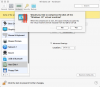
This morning, the sound disappeared on the Windows side. After trying several troubleshooting steps, I decided to reinstall Parallel Tools. PT died in the middle. I rebooted and now cannot work at all in Windows.
I do have a support ticket in: Parallels #2200512. But currently Windows is 100% un-useable to me, so I'd be very grateful for help from someone here. TIA.
Sheila
This morning, the sound disappeared on the Windows side. After trying several troubleshooting steps, I decided to reinstall Parallel Tools. PT died in the middle. I rebooted and now cannot work at all in Windows.
- I can see and move a single Windows 10 window (which seems frozen in the state it was in earlier), but when I try to mouse over the Control panel that sits on the top of the Win 10 window, the cursor disappears.
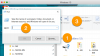
- I have rebooted several times again and tried several times to reinstall Parallel Tools. I can get through the dialog box, but then nothing happens.
- I was able to use Actions > Reset and reboot. That gave me the cursor back briefly on Windows, but the first time I clicked, it disappeared.
- Under the Parallels Tools menu, Enter Coherence is greyed out, and Exit Coherence is not an option.
- I can use the keyboard. For instance, CMD+E brings up File Explorer.
I do have a support ticket in: Parallels #2200512. But currently Windows is 100% un-useable to me, so I'd be very grateful for help from someone here. TIA.
Sheila