Alexander4
Bit poster
Short story: Parallels makes SMB connection of the host OS X machine with another machine in LAN (running Windows 10) slow and buggy until u uncheck "Connct my iMac to this network" box in global parallels network settings
Long story:
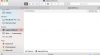
After installing Parallels Desktop 11.0.0 (31193) my connection to file sharingof Windows 10 machine in my LAN becomes slow and buggy. Sometimes I even get "There was an error connecting to server" message. In finder the word "Connection..." (see the attach) is seen about 10-15 seconds before actual connect. While without Parallels Desktop connection happens instantly. If I just quit PD - I cannot access my Windows machine at all until I reboot - get "There was an error connecting to server" message.
I have 3 machines in my LAN connected via Time Capsule.
iMac Retina and Windows 10 desktops are connected by cable and MacBook Pro Retina is connected by WiFi. I
The same happens both on iMac and Macbook (under OS X). If I uninstall PD - everything is fine agiain!
Any solution?
Long story:
After installing Parallels Desktop 11.0.0 (31193) my connection to file sharingof Windows 10 machine in my LAN becomes slow and buggy. Sometimes I even get "There was an error connecting to server" message. In finder the word "Connection..." (see the attach) is seen about 10-15 seconds before actual connect. While without Parallels Desktop connection happens instantly. If I just quit PD - I cannot access my Windows machine at all until I reboot - get "There was an error connecting to server" message.
I have 3 machines in my LAN connected via Time Capsule.
iMac Retina and Windows 10 desktops are connected by cable and MacBook Pro Retina is connected by WiFi. I
The same happens both on iMac and Macbook (under OS X). If I uninstall PD - everything is fine agiain!
Any solution?
Attachments
Last edited:
