Can't Reserve Win10 - Parallels Display Driver Critical Issue

any useful news from the pd team?
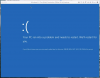
I was told in another thread (by PD support) to download the full installer from MS and run that. However, doing that, I get a driver error (shot attached). Really really irritating at this point...
 

Attachments

  • Screen Shot 2015-08-12 at 6.37.09 AM.png
    Screen Shot 2015-08-12 at 6.37.09 AM.png
    103.4 KB · Views: 18
I have updated 2 Win8.1 VMs on two different computers using the .iso
without any issues and the VMs have been working fine so far. However,
I did clean installs in both cases if that makes any difference. Each VM was
assigned 2 cores, 8GB RAM and 1 GB VRAM. Both machines were running
PD 10.2.2 and OS X 10.10.4.
 
Just my two cents worth after many attempts to upgrade Windows 8.1 to Windows 10, what worked for me was to delete the Parallels display driver and install the Microsoft Basic driver, then using the Windows tool what ever you want x32 OR x64. Select the upgrade process and it finally works.

I f you do not remove the Parallels driver the process goes through the download and check then just disappears every time. Well that was my experience.

I had the reserve icon but at this late stage there wasn't the option to un reserve , so i guess you would have to wait until Parallels fix the issue to the get the upgrade forwarded from Microsoft.
 
Just my two cents worth after many attempts to upgrade Windows 8.1 to Windows 10, what worked for me was to delete the Parallels display driver and install the Microsoft Basic driver, then using the Windows tool what ever you want x32 OR x64. Select the upgrade process and it finally works.

I f you do not remove the Parallels driver the process goes through the download and check then just disappears every time. Well that was my experience.

I had the reserve icon but at this late stage there wasn't the option to un reserve , so i guess you would have to wait until Parallels fix the issue to the get the upgrade forwarded from Microsoft.

What I don't understand is why it takes Parallels this long to update their display driver to make it work with the MS install process!
 
Question...

I simply downloaded Windows 10 and chose to install it that way.

However, the downside is, I need a Product Key number. It won't take my Windows 7 product key # and I thought this was supposed to be a free upgrade.

The upgrade has to be done via the upgrade icon?
 
Has anybody tried Parallels 11 or 11 pro to see if that solves the problem? I don't expect that we'll see any more fixes from Parallels for 10.
 
Parallels 11 provides a script to run the MediaCreationTool mentioned in earlier posts to install Windows 10. It works (although the Windows compatibility still claimed the virtual machine to be incompatible before the installation).
 
Maria@parallels responded on July 30th (pinned to first page of this 50,000+ viewed thread): "
Also I'd like to let you know that we're working on the resolution with our Development.
While we do not have ETA for the fix, it has been prioritized appropriately.
"
So far as I can tell, Parallels have not released a driver update to resolve this issue for customers through v9. But in the mean time they have started marketing and selling v10 that presumably solves the driver update issue. Do they not have the technical proficiency to solve the problem for previously-paid customers? Or are they blatantly using this issue to force legacy v9 customers to upgrade?
 
Parallels 11 doesn't solve the issue either

I am actually in the process of upgrading using this method
If that's true that the issue isn't resolved in v
Maria@parallels responded on July 30th (pinned to first page of this 50,000+ viewed thread): "
Also I'd like to let you know that we're working on the resolution with our Development.
While we do not have ETA for the fix, it has been prioritized appropriately.
"
So far as I can tell, Parallels have not released a driver update to resolve this issue for customers through v9. But in the mean time they have started marketing and selling v10 that presumably solves the driver update issue. Do they not have the technical proficiency to solve the problem for previously-paid customers? Or are they blatantly using this issue to force legacy v9 customers to upgrade?
My error - I'm using Parallels v10, not 9. Replace "v9" with "v10" and "v10" with "v11" above. And if the issue isn't resolved in v11, why would they release and sell the upgrade with the known problem? Maria? Anyone from Parallels? Do 50,000 views deserve an update after >3 weeks?
 
Yeah, I am on business edition version 11 and I still get the display error message when attempting to update.

....and if that is not bad enough, I am installing Windows 10 using the method linked in my above post, but it is getting stuck on "checking for updates." Seems to be a fairly common problem when Googled. I am going to try and run a batch file to fix it.

Just have to figure out how to right click in Parallels. May not be working as the update file is trying to quit.
 
Finally got it installed using link in post #189 above -and- having to run a WUReset.bat that stopped the update process from freezing.

So, Windows 10 finally installed on my Parallels version 11. However, not by the means it should have been. Shame on you Parallels!
 
Finally got it installed using link in post #189 above -and- having to run a WUReset.bat that stopped the update process from freezing.

So, Windows 10 finally installed on my Parallels version 11. However, not by the means it should have been. Shame on you Parallels!

Hi - same issue here, cross posted in another thread. The media creation tool upgrade option, as detailed in KB article 122884 does not work for me. It simply loops endlessly when it gets to the "checking for updates" part of the upgrade process. Can you post up the content of the WUReset.bat that you ran?

This is quite pathetic, given I've just shelled out £35 for an upgrade to a supposedly "Windows 10 supported" version of Parallels Desktop (v11)
 
Hi - same issue here, cross posted in another thread. The media creation tool upgrade option, as detailed in KB article 122884 does not work for me. It simply loops endlessly when it gets to the "checking for updates" part of the upgrade process. Can you post up the content of the WUReset.bat that you ran?

Very easy...

1. Open up Parallels and run current windows
2. In Windows, open up NOTEBOOK and copy and paste the script below to it.
3. Now save the file with the name "WUReset.bat" (including quotes)
4. Right Click on the file (think the command is CTRL+SHIFT+CLICK) on the .bat file and select RUN AS ADMINISTRATOR
5. A small pop-up command window should appear and the script should run
6. Once that is complete you should be able to run the update using the Media Creation Tool with no stalling problems

@echo OFF
echo Simple Script to Reset / Clear Windows Update
echo.
PAUSE
echo.
attrib -h -r -s %windir%\system32\catroot2
attrib -h -r -s %windir%\system32\catroot2\*.*
net stop wuauserv
net stop CryptSvc
net stop BITS
ren %windir%\system32\catroot2 catroot2.old
ren %windir%\SoftwareDistribution sold.old
ren "%ALLUSERSPROFILE%\application data\Microsoft\Network\downloader" downloader.old
net Start BITS
net start CryptSvc
net start wuauserv
echo.
echo Task completed successfully...
echo.
PAUSE
 
So I upgraded Parallels 10 to 11 and had a Windows 7 VM that I am trying to upgrade to 10 and getting the error above. anyone know how to resolve? I installed windows 8 on another machine running Parallels 11 and it upgraded to Windows 10 with no issue.
 
nevermind... Issue resolved by adding registry key. I actually had two separate issues, one as noted above with the graphics adapter and another trying to run the media creation. The media creation tool was resolved with the registry key thus allowing the upgrade.
 
Hi, I can not update the Windows 7 Professional for Windows 10 after carrying out the upgrade to Parallels Desktop 11 for Mac. The problem seems to lie in the Display Adapter (WDDM).
After following the instructions (ensuring the available RAM) and running the upgrade tool file (64-bit), on a Macbook Pro 15 Retina - the message is that the equipment supplier does not yet allow the migration to Windows 10.
This problem is true in two similar computers / users.
Any suggestion?
 
I was using Parallels 10 and Windows 7, 64 bit edition. I first followed the instructions in this article.
http://kb.parallels.com/122884

I then, like everyone else here, got the error "Setup has failed to initialize the working directory," and then the error "Parallels Display Adapter (WDDM). The display manufacturer hasn't made your display compatible with Windows 10. Check with the manufacturer for support."

So I then followed the instructions in http://kb.parallels.com/en/123053, which are exactly the same as in the previous article, but did it anyway. This time the installer simply quit with no error or anything else.

Per a couple of other replies here, I tried these two things.
http://www.askvg.com/fix-windows-update-problems-using-automatic-reset-script/

I didn't try upgrading after that, as I had a feeling that wasn't my problem, but I list it in case that helped it succeed.

Next I replaced the Parallels Display Adapter with the Standard VGA Graphics Adapter. Here are the steps, slightly modified from those someone else listed (it caused problems when I deleted the WDDM instead of replacing it).
  1. Open Device Manager > Display Adapters
  2. Right click on Parallels Display Adapter (WDDM) > Select Update Driver Software...
  3. Select Browse my computer for driver software
  4. Select Let me pick from a list of devices on my computer
  5. Select Standard VGA Graphics Adapter from the Show compatible hardware list
  6. Click Next and follow instructions
  7. Restart Parallels
I tried again and it said I didn't have enough disk space, so I bumped it from 64GB to 96GB and was then able to successfully upgrade to Windows 10 using the MediaCreationToolx64.exe as described in the KB articles above.

Finally, I checked the Device Manager > Display adapters and it had automatically switched back to using the WDDM.
 
Back
Top