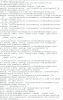
Mount points are just folders, if it doesn't exist run `mkdir -p /media/cdrom`, or you can use any other folder of your choosing. The psf folder is what parallels tools creates when installed to connect your OS X drive to linux, so you can access files cross platform (among many other changes).
The contents of our tools iso's look nothing alike so I'm guessing you have a different tools iso. I just checked and the iso I am using is located in at `/Applications/Parallels Desktop.app/Contents/Resources/Tools/prl_tools_lin.iso`. Try using the VM Configuration and manually mapping to that iso (even if the name you have matches it could be pulling from another location, such as the original /Library/Parallels/Tools/` folder).
The contents of our tools iso's look nothing alike so I'm guessing you have a different tools iso. I just checked and the iso I am using is located in at `/Applications/Parallels Desktop.app/Contents/Resources/Tools/prl_tools_lin.iso`. Try using the VM Configuration and manually mapping to that iso (even if the name you have matches it could be pulling from another location, such as the original /Library/Parallels/Tools/` folder).