
I had to completely re-install by Windows XP bootcamp partition. I created a new VM in parallels using the bootcamp partition and now when I bring up the VM I get the windows black screen stating:
"Boot from hard drive... No boot device found. Hit Enter to continue."
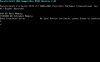
Looks like it cannot find the bootcamp partition even though it works just fine when booting into it natively. Anyone have any ideas?
Did the re-installation of XP screw up the Bootcamp partitioning possibly? Any workarounds?
"Boot from hard drive... No boot device found. Hit Enter to continue."
Looks like it cannot find the bootcamp partition even though it works just fine when booting into it natively. Anyone have any ideas?
Did the re-installation of XP screw up the Bootcamp partitioning possibly? Any workarounds?
Last edited: