Parallels 4: 3810 bluescreen

nick2k3

Junior Member
Hi,
i've just updated my parallels 4 to the latest 3810.
I'm using the BootCamp partition with Windows XP SP3:the first boot was OK, updated Parallels tool etc..
The second one gave me the atacched bluescreen.

My MacBook Pro:
Riepilogo hardware:

Mac OS X 10.5.6 (9G55)
Intel Core 2 Duo
2.5 GHz
RAM 2 GB
Parallels Desktop 4.0.3810

I've tried to start in safe mode: same BSOD;
Tried to run chkdsk /R in windows recovery console(booting from windows disk): if I boot in bootcamp everything goes fine. If I run it under parallels:BSOD
Any hints???
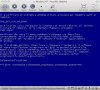
 

Attachments

  • bsod.jpg
    bsod.jpg
    136.9 KB · Views: 15
BSOD issue

This happened to me when I used an OEM copy of XP that came with a computer, in this case a Dell. The Dell install looks for some kind of signature on the mobo. When I used a retail copy, it installed just fine.
 
It's not an oem version...I've tried to create a new virtual machine but everything is the same...
I hope for a solution, or i'll be forced to reinstall everything...:(
 
Based on the error in the graphic you sent, it is most certainly a hardware incompatibility. Try disconnecting everything you can but the keyboard, and temporarily remove any additional PCI cards or other devices you may have installed, and try again. I would tell you to uninstall accompanying drivers, but OS X is new to me and I don't know how.

Also, can you get hold of an XP SP2 copy? SP3 had many problems when it was first released.

I tried calling Apple because it's a brand new Mac Pro, but they wash their hands of any other OS problems. I should have clarified that had the problem while trying to install to Boot Camp. Exact same error, though.
 
If possible, I'd try an install CD with SP2 instead of SP3. SP3 has caused all kinds of headaches. Also, could you try this on another Mac? That might tell you if it's something for sure in your own Mac.
 
Ok l'm just booting from sp2's cd within Virtual machine, is there a way to copy/paste the output or should i make screenshots?
 
I've solved everything simply booting under bootcamp, uninstalling Parallels Tools and deleting c:\Program Files\Parallels.
Rebooted in OS X, started PD and reinstalled PT.
Everything works fine: here's the minidump attached.
 

Attachments

a friend of mine analyzed the dump and told me that tools were tryin to write where they shouldn't.
Now everything is running fine, i'll try unistalling avg this afternoon..
 
Back
Top