Build 3540 any improvements?

Scudder

Bit poster
I have been watching the forums prior to taking the plunge on an upgrade from v3 to v4. I noticed there was a new build this morning and was wondering if any of you that are more brave than I have updated to the new build and if it fixes most of the problems with installation, sluggishness, etc.

Any insight would be appreciated!
 
I've upgraded to 3540. It does not fix the problem with Windows losing keyboard/mouse input after a minute or two.

To clarify, this is a problem that has affected a number of users; the symptoms are that after running for a minute or two, the guest OS - Windows XP in my case - will no longer respond to keyboard or mouse input, leaving a restart as the only option.

This was a problem in 3525, and is still a problem in 3540.
 
angusm,

More detail needed on this problem. Please:
1. Start your VM. Important: after starting, do not press anything, use mouse only to proceed.
2. In Windows, click Start.
3. Right-click "My Computer"
4. Switch to Hardware tab and launch Device Manager.
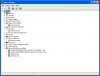
5. Take a picture of the device manager window and post here.
 
Attached is a snapshot of the device manager window. I opened up the 'USB' section because I thought it might be relevant.

For reference, there is an external USB hub/card reader attached, with a Kensington USB wheel mouse and a Canon printer connected. There are also two external drives connected on the Firewire 800 bus, and one on the Firewire 400 bus.

Disconnecting the external USB hub before launching Parallels does not resolve the problem.

The Devices menu in the Parallels desktop application lists:

Apple BlueTooth USB Host Controller
Apple Built-in iSight
Apple Internal Trackpad / Keyboard
Apple IR Receiver
USB Reader
USB/PS2 Wheel Mouse

under the USB menu. If I choose the 'Configure ...' submenu from that menu, it shows the USB controller as enabled, but reports "No USB devices are connected." This is true both before and after the guest OS stops responding.

Please let me know if there's anything else that you'd like me to try.
 

Attachments

  • device_manager.jpg
    device_manager.jpg
    104.8 KB · Views: 28
Thanks. The workaround will be:

0. You still should not press any keyboard keys and use only mouse.
1. Right-click the "Unknown Device" under Keyboards node.
2. Select "Update driver" and follow the wizard instructions.
3. Input might freeze again after update is finished. Just reboot VM.

After this all should be fine.

If it works, please tell us:
1. Did your original PD3 VM upgrade automatically (without the need to manually interfere into the process)?
2. If you had to interfere, what were your actions?
 
This did indeed resolve the issue. Thank you very much.

I did not interfere with the upgrade process from PD3, which worked successfully without intervention.

The only remaining issue that I have is extremely sluggish performance - to the point of unusability - in one application, Pandromeda's Mojoworld. I believe that the interface for this application is heavily based on OpenGL, so I'm guessing that it's an OpenGL problem (some features of the application don't depend on OpenGL, and these run quite quickly). The application was quite responsive under PD3 and BootCamp.

Is there anything that I can do to improve performance in this application?

Thank you again for your help.
 
1. Set memory for Virtual Machine to more than 1 gb, taking into consideration p 9
2. Perform Mac and Windows side disk defragmentation http://www.xvsxp.com/system/system_tools_defrag.php
3. Set Adjust memory limit from Auto to Manual at Parallels Desktop -Preferences-Memory, and set limit a bit more higher than VM memory
4. Disable Themes in Windows XP serives.msc stop Themes service
5. If you are running in Coherence, try to switch to Single Window, or lower Mac resolution
6. Some antivirus software can load CPU when Heuristic Prediction is set, or Tamper protection (Symantec, MacAffey), adjust settings to risk you are supposed, high security settings is not always good idea, as it can also affect software running
7. Run msconfig , and disable unneeded startup items
See http://www.netsquirrel.com/msconfig/msconfig_xp.html
8. Optimize computer experience for best performance -
9. Make sure that at least 1.25 GB of Memory is free for Mac OS (it is Total Memory - Virtual Machine Memory)
10. Make sure that at least 2 GB +Virtual Machine assigned memory *2 is available on Mac OS partition where VM is located
 
Thanks. The workaround will be:

0. You still should not press any keyboard keys and use only mouse.
1. Right-click the "Unknown Device" under Keyboards node.
2. Select "Update driver" and follow the wizard instructions.
3. Input might freeze again after update is finished. Just reboot VM.

After this all should be fine.

If it works, please tell us:
1. Did your original PD3 VM upgrade automatically (without the need to manually interfere into the process)?
2. If you had to interfere, what were your actions?

Tim, this suggestion won't work if one does not have auto-login enabled in the guest OS. In my case, this is not an option, as the security policy for my company does not permit it.

As such, I attached another keyboard to the host and attached it to the VM. This allowed me to enter my password and continue the login process. Howvere, I'm still facing two issues:

1. The device driver update wizard did not succesfully locate a new driver. (Perhaps some suggestions on what to feed it might help.)
2. My mouse does not work. Even grabbing the mouse in the VM (as I did with the keyboard) did nothing.

Next steps?

Much thanks :)
 
Hi Scudder,

Build 3540 does not resolve my issue of not being able to access the Control Panel in Windows Server 2008. I'm running my guest OS from Bootcamp inside of Parallels, so this may not be an issue for you.

My situation:
MacBook Pro 15", 4GB RAM (2GB allocated to guest OS)
Bootcamp Partition
Windows Server 2008
Bootcamp: everything works great
Parallels: Windows "Software License" service fails to start: Control Panel inaccessible. Everything else works fine, though.
 
The only remaining issue that I have is extremely sluggish performance - to the point of unusability - in one application, Pandromeda's Mojoworld. Is there anything that I can do to improve performance in this application?

Hello,
would you please, have a look at Sart -> Control Panel -> System -> Hardware - > Device manager
I am interested on any hardware problems detected (yellow and red marks near the devices) if there are some new since you upgraded to the last build. I think a screenshot (as you did previously) will be the most informative.
For those devices, which are marked, please, also provide a driver details (right click -> properties). Please, do the same for Processor driver even it is shown as OK.
And finally, please, seek for some errors/warnings in the Sart -> Control Panel -> Administrative tools -> Event viewer (Applications and System tabs).

P.S. Is there any antivirus/other autoprotection software installed?
 
Last edited:
I'm using Delphi6 with Windows XP, and updated to 4.0 build 3540 yesterday morning. Every time I reopen a project within this IDE it takes between 1 and 30 seconds before Delphi freezes completely. Windows is mentioning that this application is not responding. Whatever I did, it does this consistently.

I was happy to see that the clipboard worked, but this freezing renders this useless. It wasn't until this afternoon that I noticed that the parallels-tools was the real issue. When killing this task, my Delphi environment went from frozen to completely functional again...

Needless to say that the clipboard functionality is gone again. At least I'm able to perform my duties again within Windows...

Hope this helps (someone).
 
jorn,

> the device driver update wizard did not succesfully locate a new driver. (Perhaps some suggestions on what to feed it might help.)

What is the error/warning message that you get from Windows? Ideally, please describe the sequence of what you do and what you see after selecting the "Update driver".
 
stop & start parallels tools service

The freeze issue is solved for me when I perform a stop and start of the Parallels Tools Service. It helps me out that good that I've created a cmd file which allows me to perform this with a simple click. The freeze is instantly undone after executing these lines.

Best of all is that the 3540 build now allows me to copy and paste, although the freeze keeps coming back every now and than...

net stop "Parallels Tools Service"
net start "Parallels Tools Service"
 
Printer no longer works

I did the upgrade to Parallels Desktop 4.0 build 3540 (from build 3522). Now my printer is no longer recognized, and I can't find it to install (in Printers and Faxes>add a printer). It worked in PD 3, and PD 4 build 3522. I am using XP sp3, and the printer is attached to my iMac and a Powerbook using an Airport Extreme. I am using the default bridged ethernet adapter, but have tried shared networking and host-only settings as well to no avail. I can get on the internet.

Also, for the first time ever since I've been using PD, Word is making Parallels crash. When this happens, I can get around in my Mac part of the system (I can even access the Parallels menu), but I can't get any response in Windows including the Start menu (either in the Windows window or in the system tray of my Mac) or use Ctrl-Alt-Del. I have to force quit from the Apple menu.

The timing for this couldn't be worse, as I must print in Word immediately for an upcoming meeting. Any help will be appreciated.
 
jorn,

> the device driver update wizard did not succesfully locate a new driver. (Perhaps some suggestions on what to feed it might help.)

What is the error/warning message that you get from Windows? Ideally, please describe the sequence of what you do and what you see after selecting the "Update driver".

As you can see below, there are several "entries" for both the keyboard and mouse:

devicemgr.png


Below is a snapshot of the mouse driver complaining about a lack of resources:

mouse_error.png


Do you have any suggestions?

So far, I can assign an external keyboard directly to the guest, and that works. However, nothing I do gets the mouse working correctly in my WinXP guest. (Mouse pointer does not move, but a directly-assigned USB mouse does register clicks.)

Upgrading to 3540 didn't seem to help.
 
Oh, thank you wobben. You really saved my day! I have the same freeze problem with Delphi 7.
Janne

The freeze issue is solved for me when I perform a stop and start of the Parallels Tools Service. It helps me out that good that I've created a cmd file which allows me to perform this with a simple click. The freeze is instantly undone after executing these lines.
 
Hello,

To jorn:

would you please, in Device Manager click on View -> Resources by type to see which devices lock the IO resources, so there is a lack of them for mouse and keyboard?
A screenshot will be appreciated.
 
Please delete (not uninstall ) all keyboard and mouse devices, which are disabled, and question marked
restart VM

P.S.
Start from mouse devices
 
Back
Top