No physical network adapter for shared networking in parallels 4.0

I seem to have a related problem ... everything worked find before the upgrade to 4.0 now the network adapters will not function.

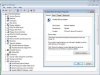
after trying various steps mentioend above and repeated deinstallations/reinstallations hardware removal etc. the device manager under Vista shows 2 parallel adapters with yellow cautions and this message

"This device cannot find enough resources ... (Code 12) "

Please create a support ticket and tell me the number.
I need a screenshot from the Device Manager
 
Please create a support ticket and tell me the number.
I need a screenshot from the Device Manager

And forgot to mention.. Please send a problem report from menu Help->Report a Problem and post to the support ticket the problem report number
 
It's working now

The startup shell script patch that I received in response to a support ticket has resolved the issue for me. Thanks Parallels team for the diligent support over the weekend.
 
same network problem - had the hd problem

I have the same network issue and have done the Restore Defaults several times. I guess we wait for the hotfix? I did have the hd problem as well, but it went away when I deleted the VMs and recreated it (too bad the network issue stayed).
 
I have the same network issue and have done the Restore Defaults several times. I guess we wait for the hotfix? I did have the hd problem as well, but it went away when I deleted the VMs and recreated it (too bad the network issue stayed).

Yes... It is better to wait for the hotfix.
 
eelco, I've run into the same problem. Yesterday everything was fine with Build 3522.
Today - without any configuration change - the web icon (yes, it really looks nice) at the buttom of the machine has a red cross. "Restore Defaults" doesn't work. I've always getting the error message:

User advice based on past experience : stop all virtual machines, reclick the restore defaults in the networking area of Parallels preferences, quit Parallels Desktop application, open its distribution .dmg, run the install, then when install done, open the System Preference, enter the Network preferences, quit, and restart Mac OS X (shutdown/restart).

Something went wrong in the settings, but that can be fixed by proper re-installation and Parallels Desktop 4 runs very well, despite it is clear from this forum that a number of people have had weird upgrade experiences.
 
Thanks Olivier for the advice. But even after re-installing build 3522, re-restoring the network defaults and rebooting MacOS X Leopard, I can't get no network connection in my guest system (Windows Vista Ultimate).

I guess the Parallels developers are just sitting with smoking heads over the promised hotfix. I wish them the right ideas and a good coffee.

Greets, peter
 
Actually, there is a change: Now I can get the connection with clicking the network icon in the bottom line of the VM and choosing "Shared" - that didn't work before the reinstall. Hope that will be a lasting solution. regards, peter
 
still problem with network adapters

Please create a support ticket and tell me the number.
I need a screenshot from the Device Manager

I reported this> 13271


Screenshot attached.

Thanks.


P.S. Have tried re/installing and reconverting without luck.
 

Attachments

  • Parallels Picture.jpg
    Parallels Picture.jpg
    19.9 KB · Views: 46
I too have the same problem with my network adapter. My Vista guest OS functioned flawlessly for a few days following its conversion from the PD 3 configuration. Then, suddenly I lost network capabilities last night. I've tried many of the fixes mentioned by you and other posters to this thread by to no avail.

Eric - what is this hot fix that you sent one of the posters? I need to get my Vista guest OS running correctly again ASAP! I can't wait for a version update. It seems that many others are having this type of network problem and your hot fix is a stop gap solution. How about posting it in the knowledge database?

Thanks,

Mike
 
I reported this> 13271
Screenshot attached.
Thanks.

According to the logs, all is ok with Parallels Networking and you don't need in the HotFix patches for the network. There should be some issue on the Windows side.

Please try for first to uninstall Parallels Internet Security. Then reboot the VM and try again.
If you have some VPN software installed in the VM, please uninstall it temporary. It could be installed again (together with Kaspersky) as soon as network will start work. After uninstalling please reboot the VM and try again.

If this doesn't help, please create a support ticket and post me the number of ticket. Please send me a private message if you don't know how to create a ticket.
 
Last edited:
Eric - "Please try for first to uninstall Parallels Internet Security. Then reboot the VM and try again". By Parallels Internet Security do you mean a virus and firewall app such as McAfee? I say McAfee because that was what I had installed which I uninstalled. Removing it had no effect on the internet connectivity problem.

Speaking of install this off topic but how is PD 4.0 uninstalled? I don't see any uninstall app. I want to get PD 4.0 on my MacBook Pro right now and go back to version 3 which worked quite well. PD 4.0 is too buggy and I have wasted entirely too much time on it.

Thanks,

Mike
 
Parallels Internet SecuritY?

I do not see a way to turn off "Parallels Internet Security". I have disabled or removed all of the virus/firewall I can find. I do not currently use VPN but I thought I would also try to turn off the IPSEC policy service.

Still no luck!

Are there any other services I should try turning off???

I can get 4.0 running apparently without problem with XP on the same MAC host so the problem must be with some setting/incompatibility with Vista and 4.o. (It worked just fine with 3.0)

By the way how does one get a problem ticket other than posting the problem via the software (which I did)??
 
By the way how does one get a problem ticket other than posting the problem via the software (which I did)??

-) I don't know -)) But I've created a ticket for the mail that specified in the contact info of your problem report.

Please send me a message if you don't receive any mail in fifteen minutes
 
I dont believe this is a windows issue. I had everything going OK for Windows AND linux AND Apple Server VMs, and now ALL of them have lost their network connectivity. See a separate thread, where I explain I have done pretty much everything to get networking back, all to no avail. The overall symptom is that I appear to have host-only networking, even though everything is clearly set to Shared (and double checked).

I'd note something looks odd in my networks.xml preferences file:

<?xml version="1.0" encoding="UTF-8"?>
<ParallelsNetworkConfig schemaVersion="1.0" >
<VirtualNetworks>
<VirtualNetwork>
<NetworkID>Shared</NetworkID>
<Description>Shared Networking</Description>
<Enabled>1</Enabled>
<NetworkType>1</NetworkType>
<BoundCardMac></BoundCardMac>
<VLANTag>0</VLANTag>
<HostOnlyNetwork>
<HostIPAddress>172.22.2.2</HostIPAddress>
<DhcpIPAddress>172.22.2.1</DhcpIPAddress>
<IPNetMask>255.255.255.0</IPNetMask>
<ParallelsAdapter>
<Name>Parallels Shared Networking Adapter</Name>
<PrlAdapterIndex>0</PrlAdapterIndex>
</ParallelsAdapter>
<DHCPServer>
<Enabled>1</Enabled>
<IPScopeStart>172.22.2.1</IPScopeStart>
<IPScopeEnd>172.22.2.254</IPScopeEnd>
</DHCPServer>
<NATServer>
<Enabled>1</Enabled>
</NATServer>
</HostOnlyNetwork>

Note how it says <Description>Shared Networking</Description> but lower down it says <HostOnlyNetwork>? That doesn't look right, and MIGHT explain my symptoms.
 
same issue

I'm having basically the same issue as most above. Upon initial upgrade to 4 it all worked fine. I shut down the VM, went home, came back the next morning and booted up VM to no network. I've tried restoring defaults to no avail. I get the msg here:

Microsoft Windows XP [Version 5.1.2600]
(C) Copyright 1985-2001 Microsoft Corp.

C:\Documents and Settings\Administrator>ipconfig

Windows IP Configuration


Ethernet adapter Local Area Connection 3:

Media State . . . . . . . . . . . : Media disconnected

C:\Documents and Settings\Administrator>

In my OS X Sys prefs, my Parallels connection is green and connected though. :(
 
Upon initial upgrade to 4 it all worked fine. I shut down the VM, went home, came back the next morning and booted up VM to no network.

In my OS X Sys prefs, my Parallels connection is green and connected though. :(

please open Application->Utilities->Terminal and type next 2 commands:
sudo /sbin/kextload /System/Library/Extensions/prl_netbridge.kext
sudo killall -HUP prl_naptd

this should resolve the issue.

Please install the HotFix when it will be available!
 
I dont believe this is a windows issue. I had everything going OK for Windows AND linux AND Apple Server VMs, and now ALL of them have lost their network connectivity.
Please send a problem report and post me the number


I'd note something looks odd in my networks.xml preferences file:
Note how it says <Description>Shared Networking</Description> but lower down it says <HostOnlyNetwork>?

There is basically no need for the end-user to look into this file.

It's just a section name.
 
Back
Top