Parallels Desktop 4 - Mouse problem in XP guest

suhr

Bit poster
Parallels Desktop 4 - Mouse and keyboard problem in XP guest

Hi there-

Just installed Parallels to give it another shot. I have been using Fusion for about the last year. My XP VM was migrated from a Fusion VM.

The migration went fine, no issues. The VM boots quickly and sits at the XP login screen. I can move my mouse cursor but cannot click (with either the left or right button). Checked the Parallels mouse/keyboard preferences and verified that the right-click settings are correct.

Any ideas?
 
Last edited:
I am having a similar problem. My mouse cursor isn't visible (or working) in coherence. Sometimes it works fine for a bit and then stops, other times not at all. If I switch to windowed view it is fine.
 
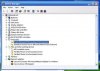
Well, mine just isn't working at all, and the keyboard isn't working either. I was able to get device manager open by attaching an external mouse (the external mouse works but I can't see the cursor - have to feel my way around "in the dark") and it shows exclamation points on the keyboard and mouse devices (see attached screenshot).
 

Attachments

  • Picture 1.jpg
    Picture 1.jpg
    17.7 KB · Views: 10
Mine is doing the same thing

If I move my finger over the trackpad I can see an invisible cursor hitting different files and devices on the screen. Can't see the cursor and the keyboard only works by enabling under the USB settings which disables it under OSX.
 
Uninstalling Parallels Tools caused other problems

John,

The mouse and keyboard started working but major PCI and video driver errors started appearing in XP.

Lowell
 
I also have this problem with the mouse in XP Pro SP2. Using the trackpad in OS X 10.5.5 on a MacBook Pro it behaves as if every click is a right click.

If I hold down the Function key on the keyboard, it behaves correctly, so I suggest this is a configuration error.

Colin
 
scroll wheel odd issues

I saw odd behavior during the upgrade, but the mouse works fine now except the scroll wheel Even Page Down and Page up on the keyboard does not work well.... I am in excel hell now. Cannot get up and down the page to do my work. Cannot grab the scroll bar either to move the page. I wonder if some of the driver settings in sample rate etc might be worth playing with?
 
As a matter of interest are you a bootcamp VM?

I have installed V4 on 3 iMacs and all worked but the bookcamp Mac gave all the problems you guys are having.

I reinstalled everything a dozen times but the only fix for me was to completely re-install parallels and Windows (not in a boot-camp environment). Pretty crap really.
 
Mouse problem resolved...REALLY!

I found the issue with the mouse not clicking where it's supposed to: it's a setting in the preferences for Parallels Desktop.

Go to Parallels Desktop in the Mac Menu bar, and select "Preferences."

In the Preferences window, select "Keyboard & Mouse."

In Keyboard and Mouse, make sure Profile is set to "Windows" and then select "Mouse."

UNCHECK the check box for "To right-click: [ ] _____________ + Mouse click".

(I found this setting was set with nothing in the box in my setup.)

Click on "OK" and you're done.

Now your mouse should work the way it's supposed to.

I hope this helps others (as this was REALLY frustrating for me).

- Dr. J
 
@John@Parallels: No disrespect intended, but I've noticed that your responses seem brief, incomplete and offer no theory as to why you would make such recommendations. It comes across as guessing rather than actually trying to troubleshoot. You ask no questions and just make trite statements, like "remove all custom mouse drivers". I'm sure that everybody over at Parallels is a bit busy with all of the press you've received, but consider how some of us that run parts of our business with now-crippled VMs are being affected. This isn't a bunch of hobbyists who can wait until next weekend to tinker, we have clients to service too.
 
...and another thing, why would we have to remove ANY previous VMWare or VPC Additions this time but not with versions 2 or 3? More importantly, there are no easy ways to remove VPC Additions. VPC is not Leopard compatible and is the ONLY way to remove the suspect additions.
 
Back
Top