Problems running Parallels

JeanD

Junior Member
It all started out when I upgraded the hard drive in my MacBook Pro 2.33GHz to a 200G 7200 rpm drive. I cloned the drive, made the switch, but Parallels didn't make it. It crashed, asked me to do a new VM set up, and even after I did so and loaded the usual disk image i'd been using, would crash upon first launch. It would finally launch when clicking the "Relaunch" button, but would not see any of my shared folder, nor would it respond to the option of referring to my home folder via "My Documents" in windows. I uninstalled several times, tried to find all those pesky files parallels puts everywhere and reinstall, but again to no avail.
So I decided to try to upgrade to Leopard (I had nothing but time to lose it seems) and now it would boot at all.
I'm a paid user of Parallels and I just want it to work. Please tell me what I must do. I've installed 5584, 5582 many times and nothing works. I've wasted many hours of my time and I'm not a happy camper...

PS: I've been using parallels since it first came out and it's been running great for a great while...but it shouldn't just fizzle out like that.

Regards

JeanD
 
If you have the old drive, can you mount in a box as an external drive?

I got two FireWire 800 La Cie external drives when my MacBook pro HD got too full, and now keep all my photo images on them

and run my daily Parallels VM from them
I also keep two clones updated weekly on the external drives

You may experiment with opening the crashy VM but not running it
then PD >> Menui >> File >> Clone

the clone *may* work ok
if so clone it as a back up at once

I also have a second monitor
http://www.flickr.com/photos/hughw36/2095489683/
external keyboard and MS mouse

Hugh W
 
Hugh,
Thanks for your advice.
Of course I can mount the old drive, and in fact it Parallels still works fine when i use the old drive to boot. But I'd like to get it to work on the new drive that's now inside the MacBook Pro...
 
Restored clone of disk

I've now reverted to my old 10.4.11 clone, which should be a carbon copy except for the fact that it's a 200G drive instead of a 100G.
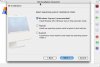
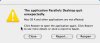
I once again get the dreaded quit unexpectedly message. But when i click on "reopen" I get the OS installation assistant. This sucks. I did this a couple of times before, doing a custom install, and reconnecting to the virtual drive i've been using for months, and I do manage to get it to work, but all the settings are screwed up, and remain screwed up despite my resetting them. On top of that, it always crashes once upon starting...i always have to click on "reopen" to get it going again. Why does it work perfectly fine when i boot on the original external drive and not on the carbon copy drive inside?

Once again, I'm a paid customer and I just want it to work!

Thanks in advance.

Jean
 

Attachments

  • FinderScreenSnapz001.jpg
    FinderScreenSnapz001.jpg
    19.1 KB · Views: 3
  • Parallels DesktopScreenSnapz001.jpg
    Parallels DesktopScreenSnapz001.jpg
    43.7 KB · Views: 3
I am a volunteer and not paid by anyone
With both hard disks mounted

when you have opened (but not run) your old VM
from PD >> Menu >> File >> Clone
just make a new clone on the new hard disk
run that
(and clone it again as a back up)

please let us know how you get on

Hugh W
 
Thanks Hugh,
I know you're not a paid support person :)

Just the same, regardless of how i restore the clone, it works on the former boot drive but not on the carbon copy of that drive cloned to the new boot (internal) drive. So now i have to boot on the external drive to use Parallels...
 
try reading my fix and applying it

Only use parallels File menu for moving VM about as clones

the Mac OS is highly automated and Parallels on the new hard disk needs to create its own paths

Open the old VM on the old HD from the new copy of Parallels on your new HD

before you run it
clone it into the new location of your choice on the new HD

run the new copy

Hugh W
 
Thanks again Hugh. The problem is the whole Hard Drive (not just the vm) on my Mac has been cloned: it's supposed to be a carbon copy of the original hard drive, so the path to the vm should be intact. I did do what you suggested, but Parallels still crashes initially before opening with the relaunch button. And "my documents" still does not remap properly to "Documents" on my Mac :(

And none of this explains why i shouldn't be able to uninstall the whole thing and reinstall clean Parallels...

Thanks again for your suggestions!

Jean
 
Hello,

Jean, please uninstall Parallels this way:

Go to Finder - Applications - Utilities - Terminal.

Type and run the following commands:

• sudo rm /System/Library/Extensions/vmmain.kext
• sudo rm /System/Library/Extensions/hypervisor.kext
• sudo rm /System/Library/Extensions/Pvsvnic.kext
• sudo rm /System/Library/Extensions/ConnectUSB.kext
• sudo rm /System/Library/Extensions/Pvsnet.kext
• sudo rm -rf /Library/Parallels/
• sudo rm ~/Library/Preferences/com.parallels.*

Before you run these commands, please make sure that your VM hdd and pvs files are NOT stored in ~/Library/Parallels.

Reboot your Mac and reinstall Parallels.

Best regards,
Xenos
 
Back
Top