Hi,
I have used Parallels on my Mac for several years, and my systems are completely updated running OSX 10.11.6, and Windows 10 Pro and both are totally updated in all ways. I am running Parallels Desktop 12 for mac Version 12.0.2 (41353)
Well until now I have used a HP PhotoSmart B209a printer (ink), and it has worked fine with both Mac and Windows applications. Now this printer is ready to retire, so I have bought a new one, HP Officejet 5740 Series and installed it on my Mac.
It worked fine and I can print for all Mac applications and use all the facilities on the printer here.
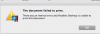
I can also see and choose the printer and its functions in all Windows applications, but when I click Print the only thing that happens is that I can see that the Windows application is printing, but after that absolutely nothing happens.
Earlier a box with a message saying something about converting to Post Script and a dialogue box where make the final confirmation of the print. This I don't see at all anymore.
I have tried to restart the Mac, to restart Windows, and to re-install Parallels Tools - and nothing seems to "do the trick".
If anybody have ideas how to fix this, I am more than very interested.
Regards Peter
I have used Parallels on my Mac for several years, and my systems are completely updated running OSX 10.11.6, and Windows 10 Pro and both are totally updated in all ways. I am running Parallels Desktop 12 for mac Version 12.0.2 (41353)
Well until now I have used a HP PhotoSmart B209a printer (ink), and it has worked fine with both Mac and Windows applications. Now this printer is ready to retire, so I have bought a new one, HP Officejet 5740 Series and installed it on my Mac.
It worked fine and I can print for all Mac applications and use all the facilities on the printer here.
I can also see and choose the printer and its functions in all Windows applications, but when I click Print the only thing that happens is that I can see that the Windows application is printing, but after that absolutely nothing happens.
Earlier a box with a message saying something about converting to Post Script and a dialogue box where make the final confirmation of the print. This I don't see at all anymore.
I have tried to restart the Mac, to restart Windows, and to re-install Parallels Tools - and nothing seems to "do the trick".
If anybody have ideas how to fix this, I am more than very interested.
Regards Peter