Crash with parallels 14 with my VM Windows 7 at wake up

thierryb180381

Bit poster
Hello,

I'm using Parallels 14 Desktop that I use with my Mac (Retina 5K, 27-inch, 2017) and I have a VM winth Windows 7.

Unfortunately, I have some instabilities / crash : when my mac goes in sleeping mode during the night, in the morning, when it wakes up, My virtual machine and Parallels don't respond anymore. i've to kill them and restart also my mac.

What could I do?

PS: I've posted you all my traces error but I had to zip it as it was too big.

Thanks.
 

Attachments

Have a look at this thread:
<https://forum.parallels.com/threads/performance-problems-in-windows-10-after-upgrade-to-v14.345305/>
There are issues with V14, and it seems to be sleep that is in some way 'at the core' of the problems. :(
Have just set my machine to not actually sleep (turns of the video, and stops the hard drives), and like this it is working OK.
It seems that on some machines it loses connection to the HD devices, and possibly in some cases the USB devices after sleep, which then leads to various crashes.
 
Have a look at this thread:
<https://forum.parallels.com/threads/performance-problems-in-windows-10-after-upgrade-to-v14.345305/>
There are issues with V14, and it seems to be sleep that is in some way 'at the core' of the problems. :(
Have just set my machine to not actually sleep (turns of the video, and stops the hard drives), and like this it is working OK.
It seems that on some machines it loses connection to the HD devices, and possibly in some cases the USB devices after sleep, which then leads to various crashes.

Hello,

How do you parameter that? for me when hard drive is stopping is sleep mode.

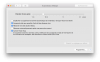
This is what i have in energy saver (I've uploaded it)

and for information, my VM is on an external hard drive in usb.

Thanks :)
 

Attachments

  • Capture d’écran 2018-09-23 à 21.49.17.png
    Capture d’écran 2018-09-23 à 21.49.17.png
    224.8 KB · Views: 12
I've currently switched to:
displaysleep 10
disksleep 20
standbydelay 0
powernap 1
hibernate 0

With these settings, the system itself never sleeps. It shuts off the display after 10 minutes, and the hard-disks after 20, but never hibernates.
Touch wood had been going several hours now without a single issue.

These have to be set from the command prompt. There doesn't seem to be any option in the energy saver screen, that actually controls the standbydelay setting or the hibernate level. Syntax is:

sudo pmset standbydelay 0

and similar for all the other settings. There are actually a whole load more:

standby
Sleep On Power Button
womp
halfdim
hibernatefile
powernap
gpuswitch
autorestart
networkoversleep
disksleep
sleep
autopoweroffdelay
hibernatemode
autopoweroff
ttyskeepawake
displaysleep
standbydelay

I think it is the 'standbydelay' one (which controls how long it waits before switching to 'standby' mode), which has changed how my system behaves. Disabling this (0, so never goes to standby), appears to have fixed the V14 problems (but obviously at a cost in power....).

pmset -g lists how your system is currently setup.
 
Back
Top